
|
Odoo 19 Community
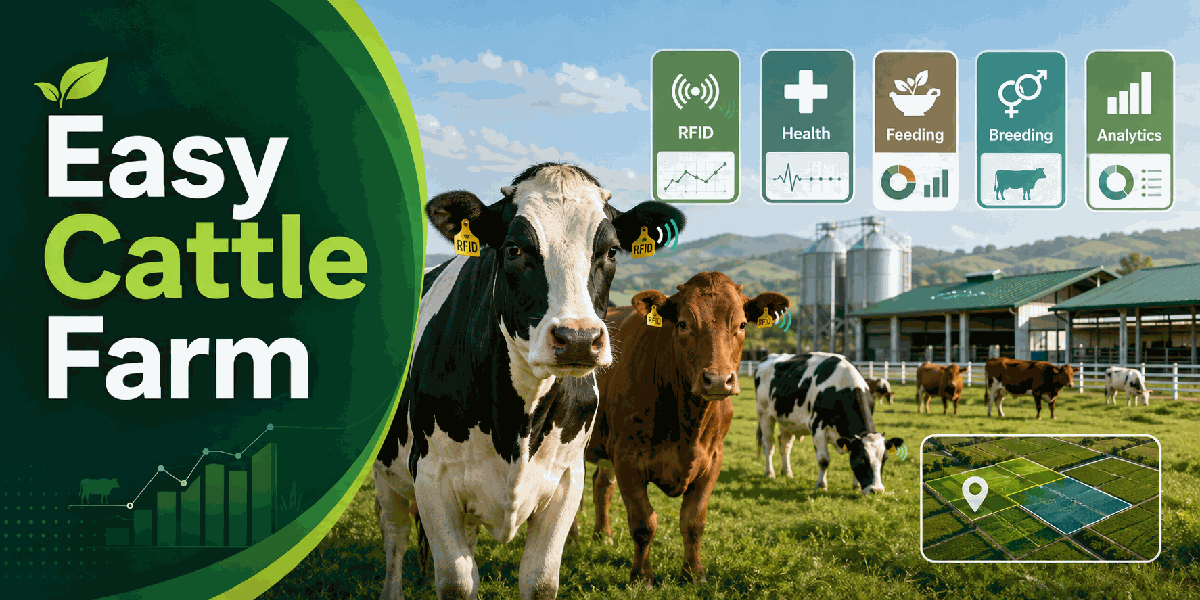
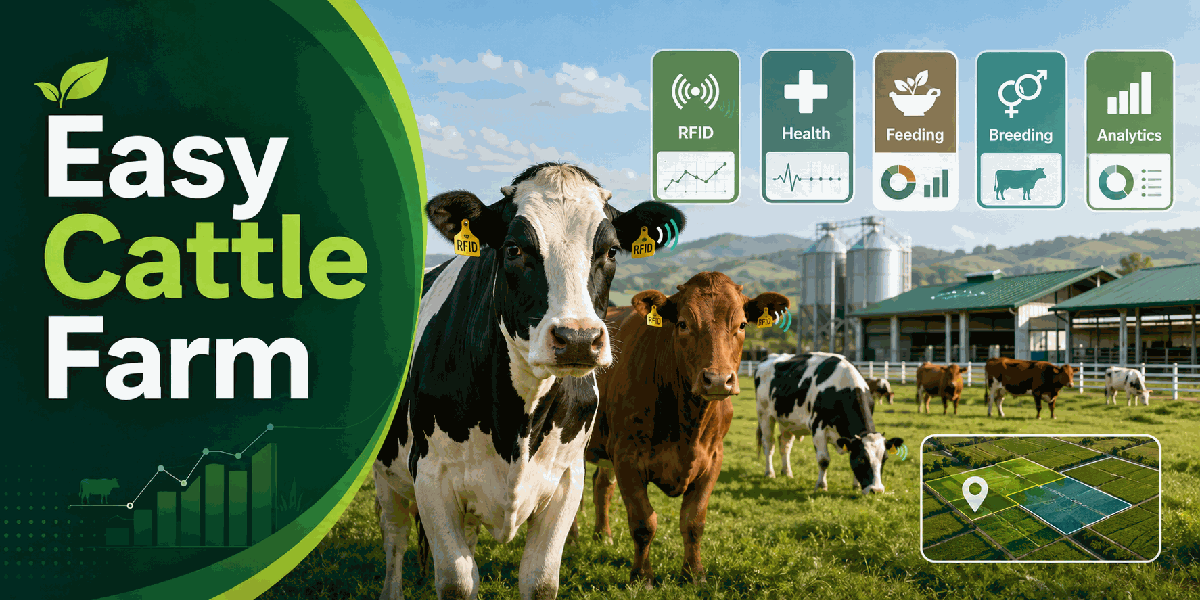
Easy Cattle FarmLivestock operations for dairy and beef herds — one card per animal, from intake to sale.Manage cattle from birth or purchase through feeding, health, breeding, calving, fattening and sale, with a live farm dashboard, shade map, fiscal-year periods and PDF/Excel reports. |
Built for
Farm Workers Farm Managers Administrators Investors
Uses standard Odoo stock, purchase, sales and accounting, with farm security groups.
|
|
One card
Identity, housing, costs and history on every animal
|
Stock
Feed, vaccine and medicine leave the warehouse on confirm
|
Live
Farm dashboard with auto-refresh and fiscal-year periods
|
PDF/XLSX
Preview and export farm reports as PDF or Excel
|
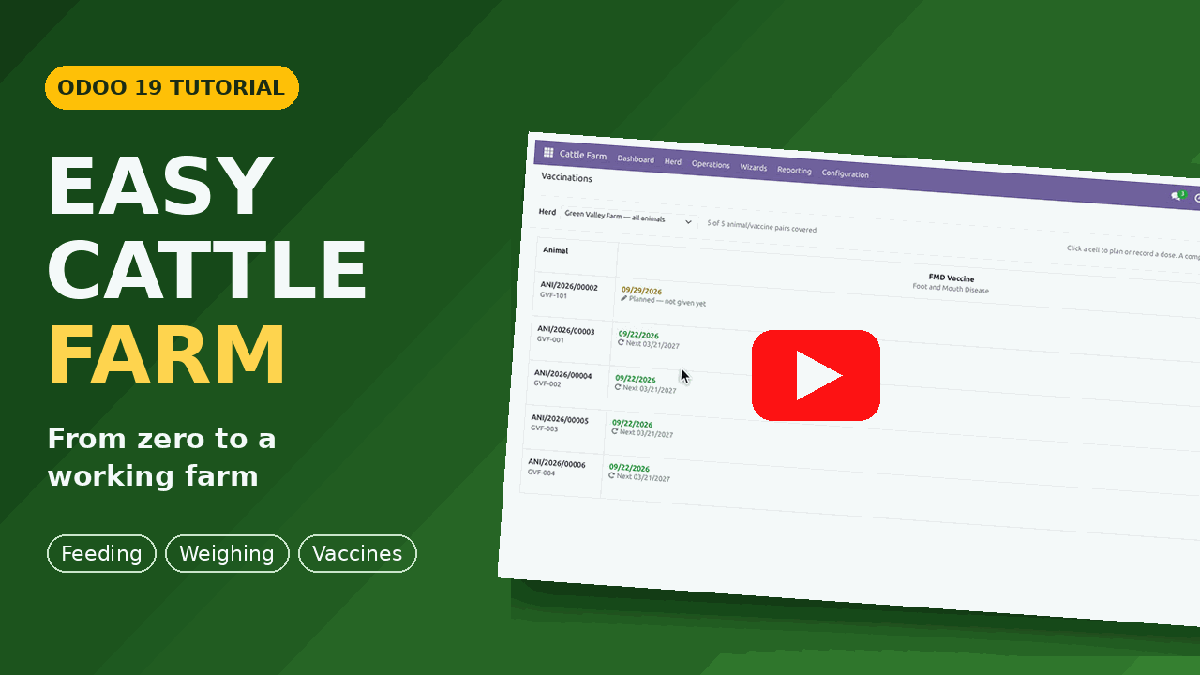
Watch the Full Tutorial
A narrated, step-by-step walkthrough that starts from an empty database: settings, farm, housing and herds, products, purchase and cattle intake, the feeding plan, weighing sheet and vaccination matrix, treatment, breeding and calving, shared ownership, sale, the farm map and the dashboard reports.
|
Chapters include Farm, housing and herds Purchase order to animal cards Feeding plan, weighing and vaccination grids Treatment, breeding and calving Ownership shares and selling cattle Farm map, dashboard and reports Watch on YouTubehttps://youtu.be/5QxLWp7S5_E |
Why This Module
Herd work is split across animals, housing, feeding, veterinary logs, breeding, purchases and sales. Daily users need one place to see the herd, the yard and the money.
Easy Cattle Farm puts livestock operations on Odoo 19 Community: animal cards, stock-backed feeding and treatments, a live dashboard with fiscal years, a shade map of the yard, and reports you can hand over.
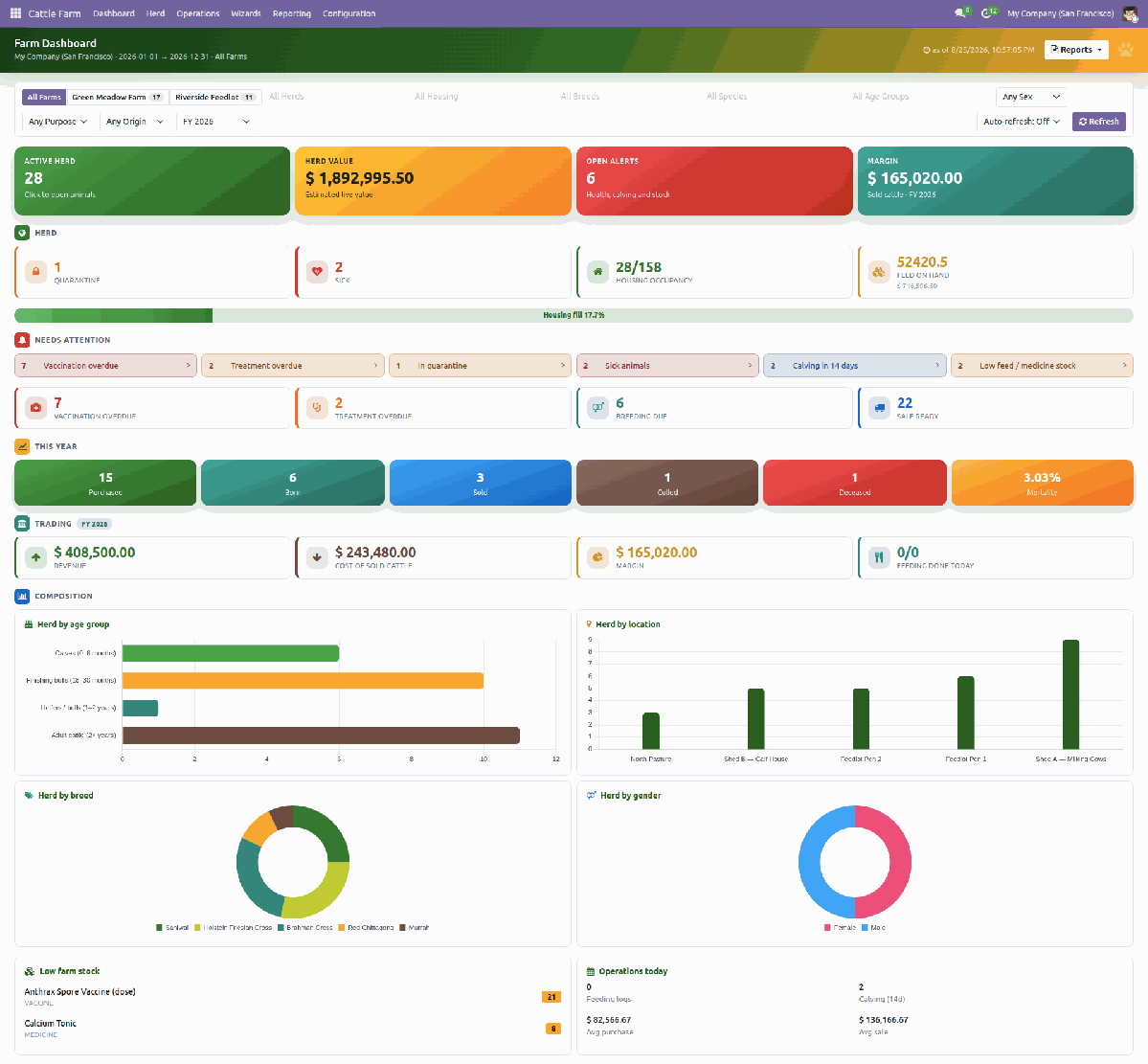
Animal CardsEar tag, RFID, breed, sex, purpose, housing, herd, photo and full history from birth or purchase through to sale, death or cull. |
Stock that MovesFeed, vaccine and medicine leave the warehouse when you confirm a feeding round or a treatment. No double entry. |
Costs that Add UpPurchase, landed, feed and health costs collect on the animal, so the margin on a sale is the real one. |
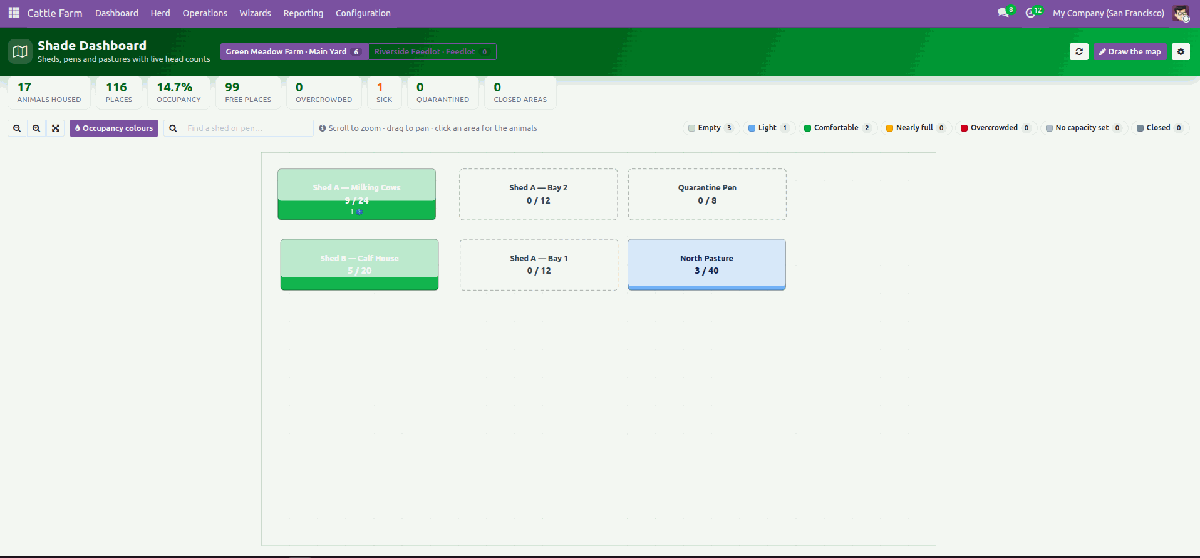
Shade DashboardDraw sheds, pens and pastures once, then read live head count, free places and overcrowding as animals / places on every shape. |
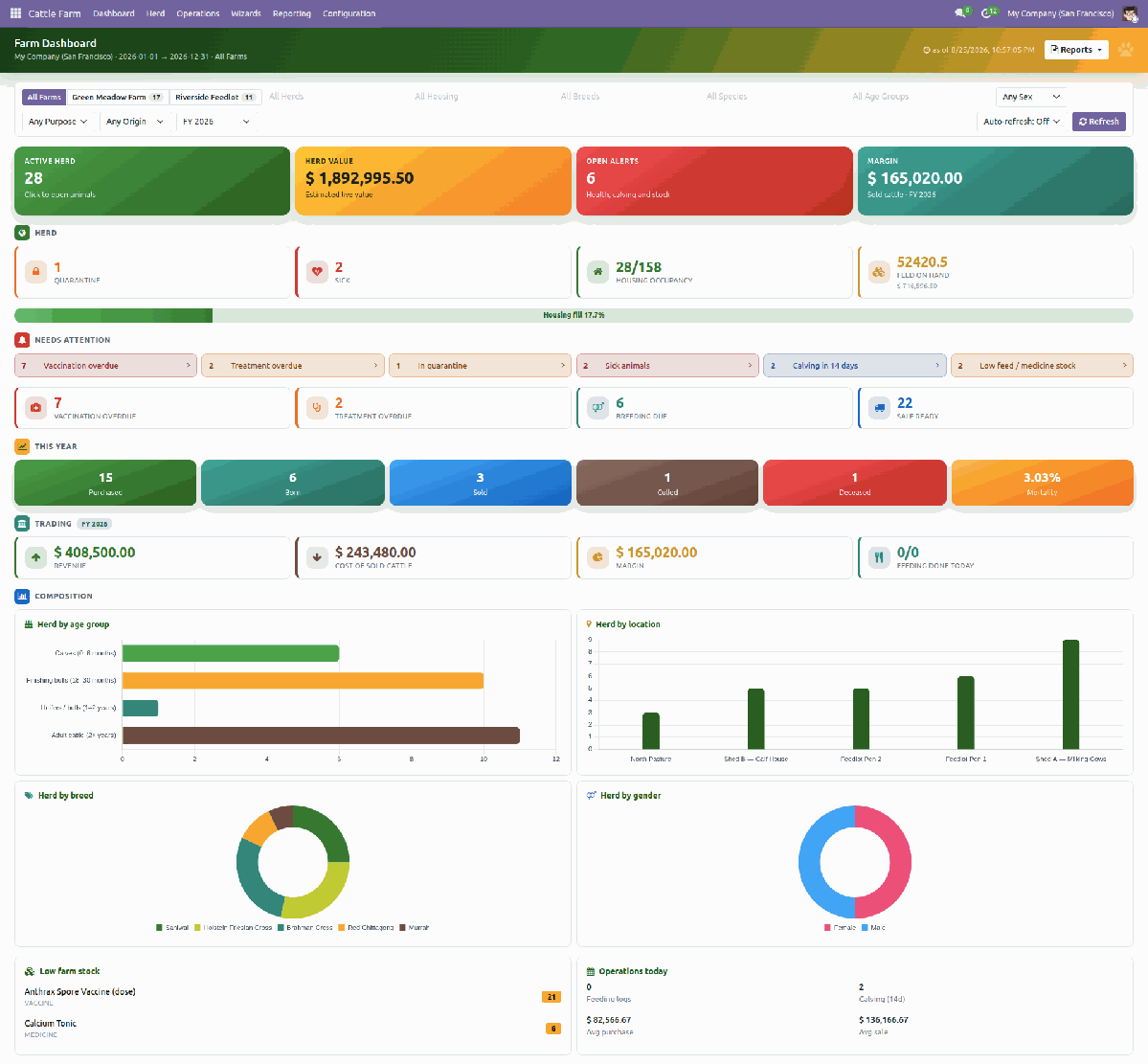
Alerts & ChartsOverdue vaccines and treatments, sick and quarantined animals, calving within 14 days and low feed stock, plus herd charts by age, breed, sex and housing. |
One-Click Drill-DownOpen the animals, logs and alerts behind a dashboard tile or a shade on the map without hunting through menus. |
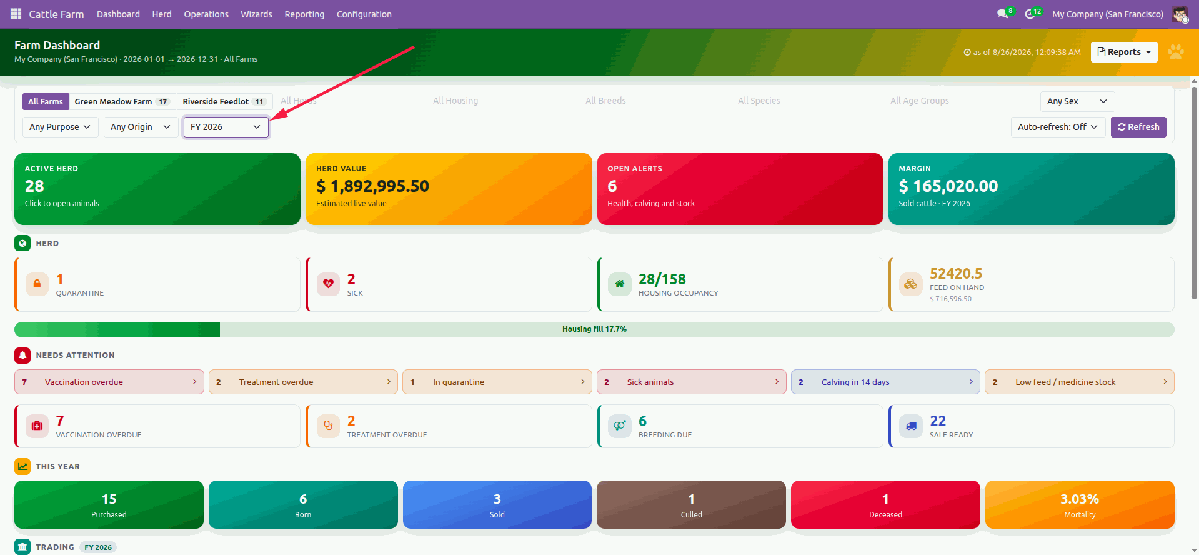
Filters that Follow the AccountsOne period list holds the usual presets, a custom range and your company fiscal years. Purchased, born, sold, culled, deceased, revenue, cost and margin use that period. Herd size, occupancy and open alerts stay “right now”. Narrow by farm, herd, housing, breed, species, age group, sex, purpose and origin. Refresh manually or enable live auto-refresh. Every PDF or Excel pack uses the same dates. |
|
||||||||
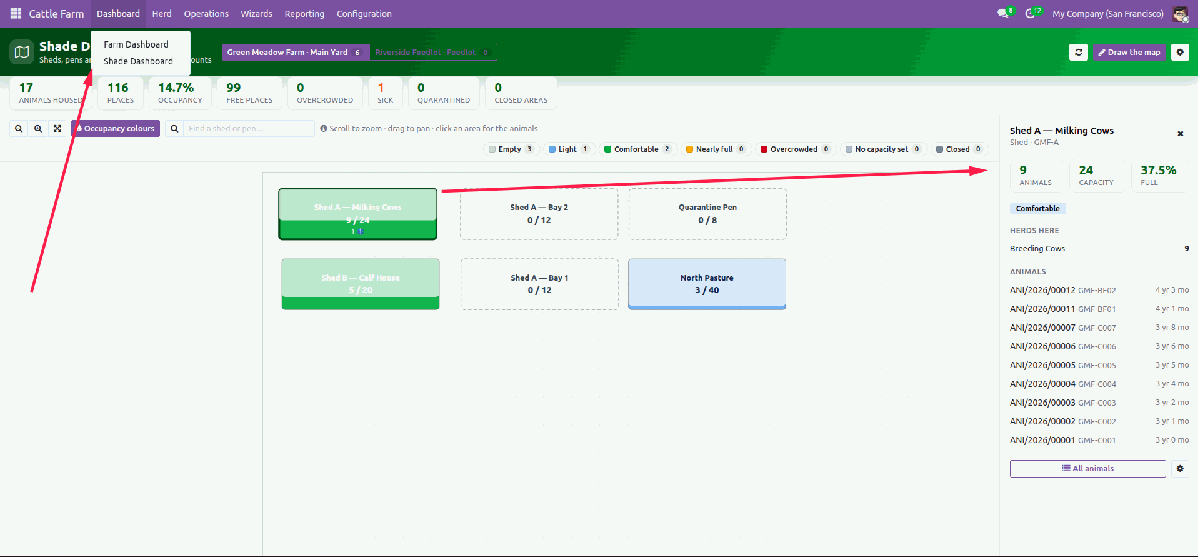
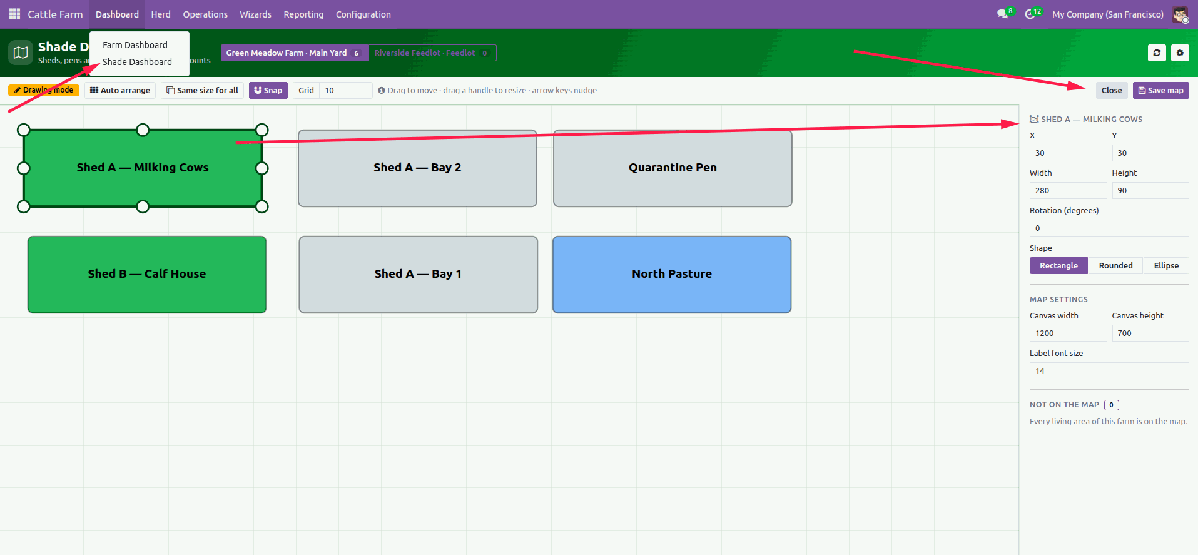
Shade Dashboard — Your Yard, Drawn
Every shed, pen, pasture and quarantine box is a shape. Colour shows how full it is — grey empty, green comfortable, red overcrowded, hatched when closed for repair. Click a shed to see who lives there. Administrators draw and snap the layout; workers see it read-only.
|
|
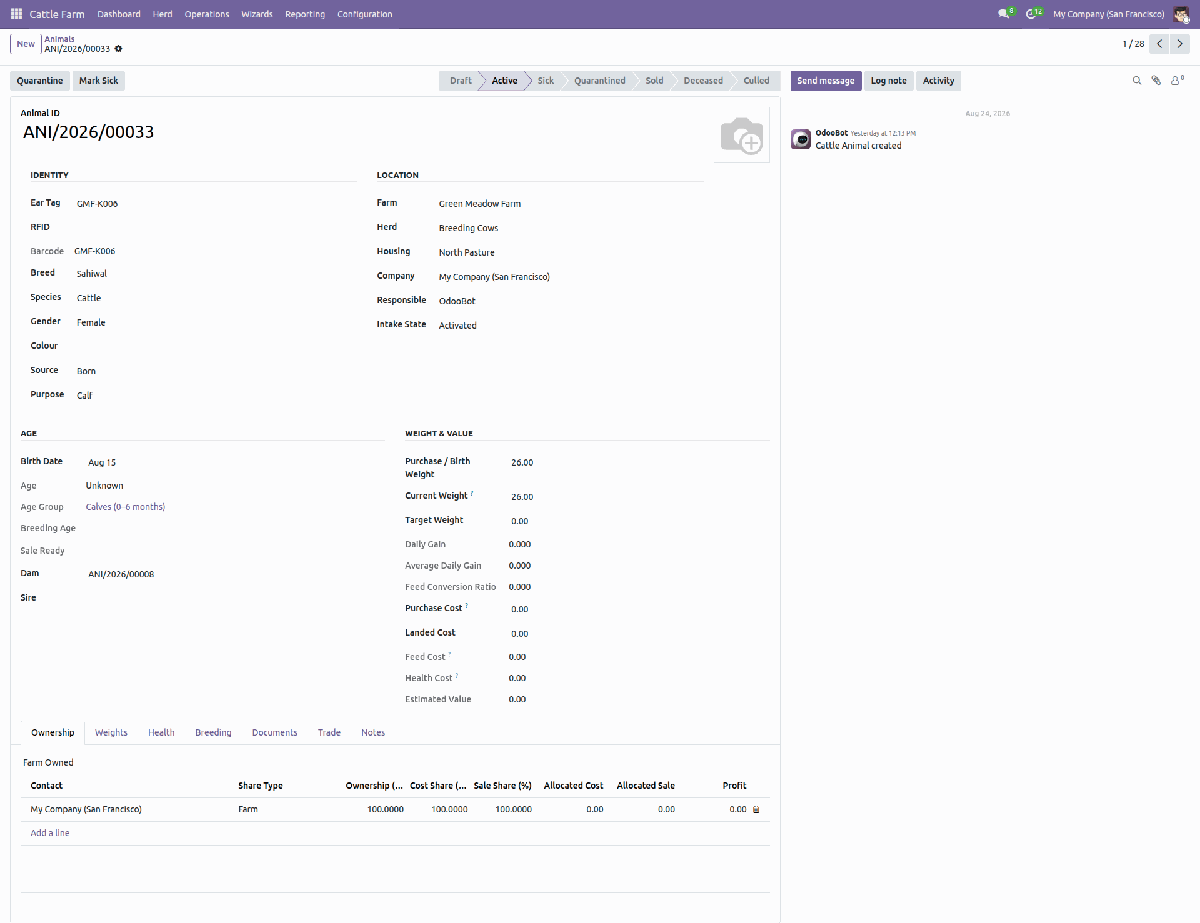
The Animal Card
Identity, location, weight and growth, health, breeding, ownership shares and money — all on one record, with the life stage on the statusbar and every log a click away.
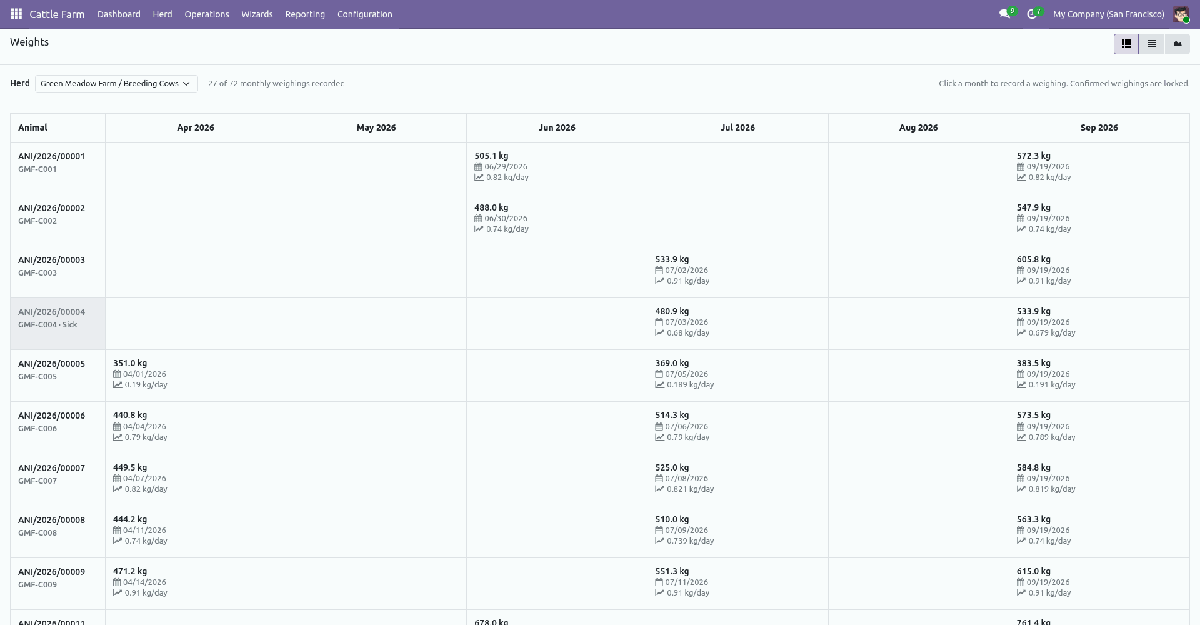
Grid Screens — a Whole Herd in One Sheet
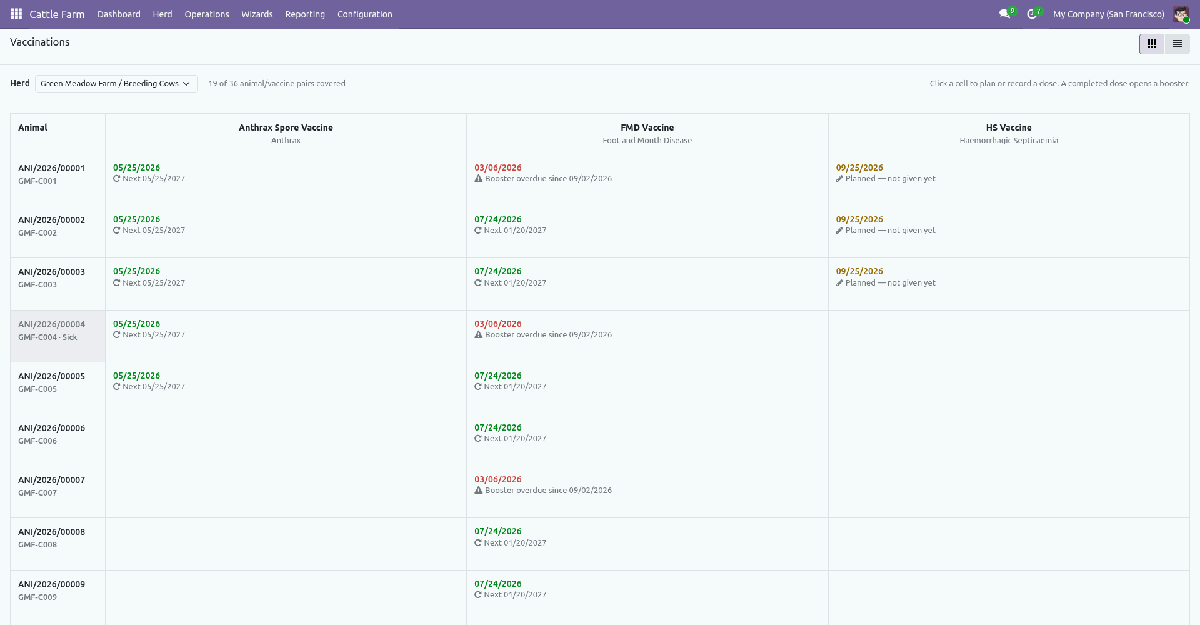
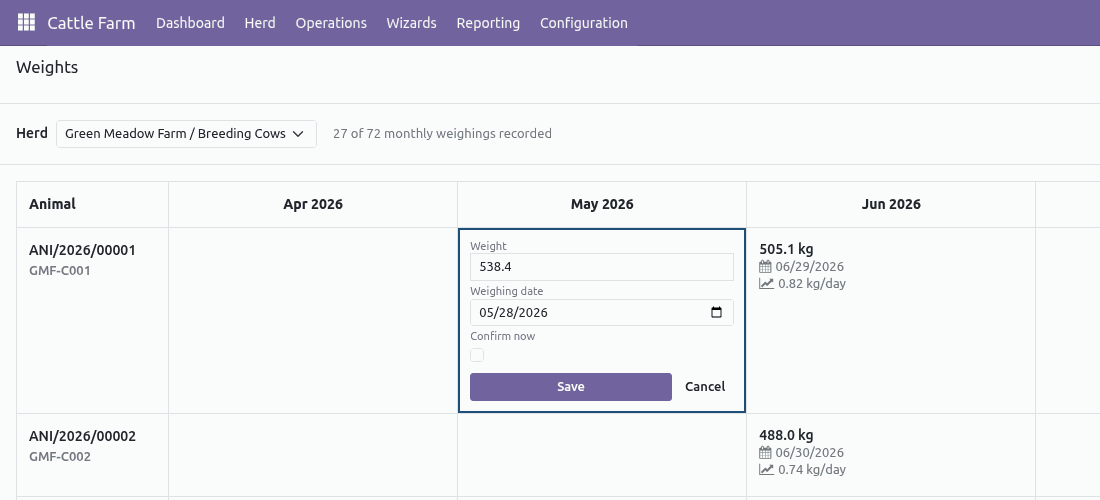
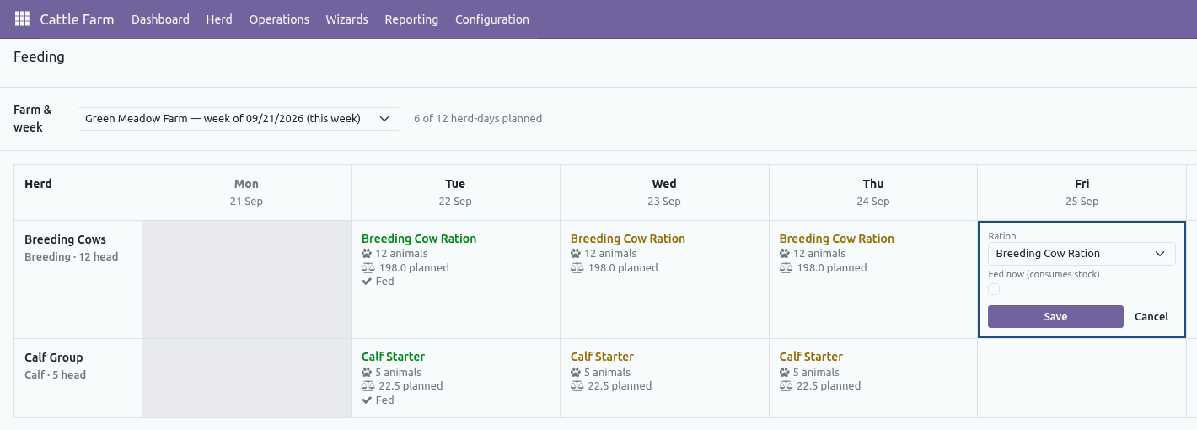
Weights, Vaccinations and Feeding open as sheets: animals or herds down the side, months, vaccines or days across the top. Click a box, type the value, save — no form per record. Every box saves through the normal record, so stock moves, costs and checks run exactly as on the form, and confirmed work stays locked.
|
|
|
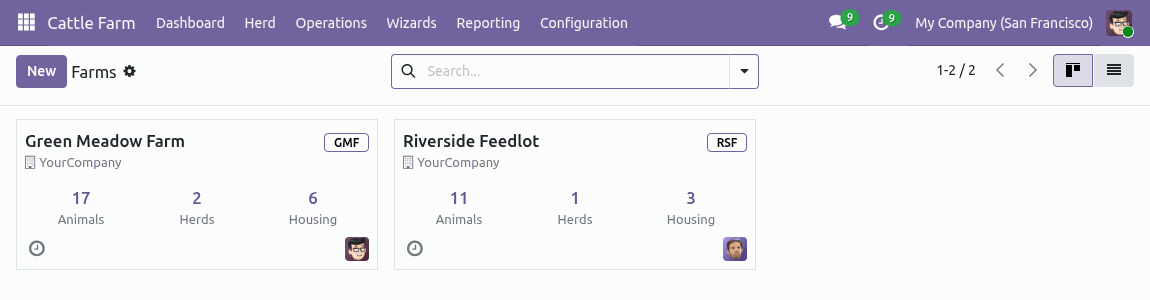
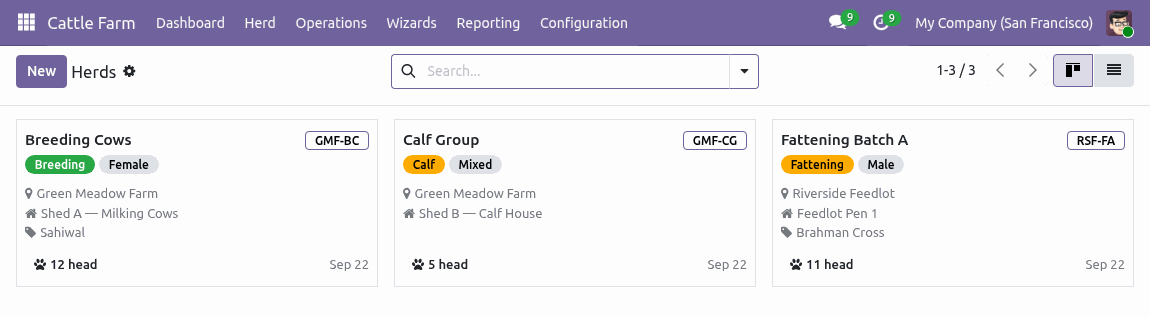
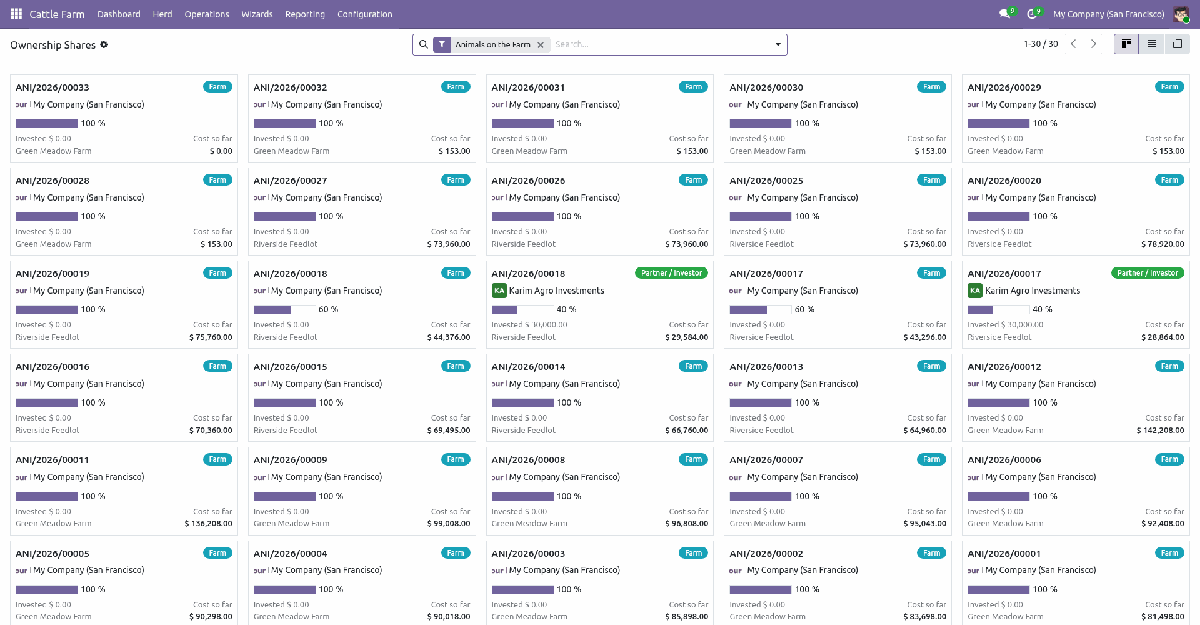
Cards for Farms, Herds, Housing & Ownership
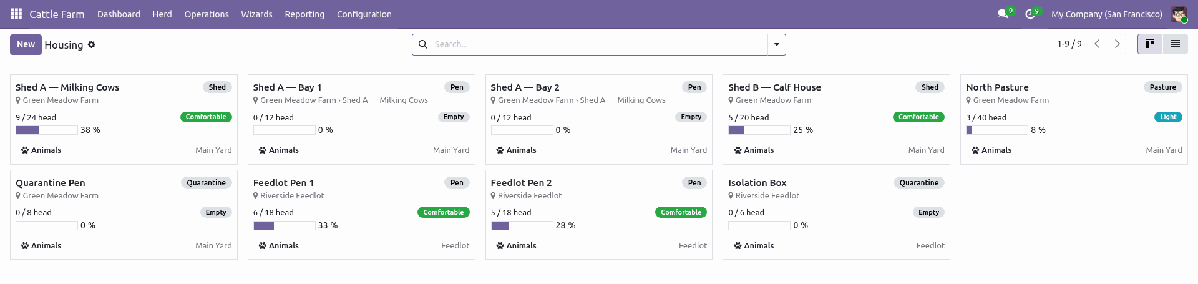
Farms show their animal, herd and housing counts. Herds show purpose, housing, breed and head count. Housing shows live occupancy against capacity with the same colour bands as the shade map. Ownership shows who holds what share of every animal, with the amount invested and the cost so far — percentages stay locked so an animal’s shares always add up to 100%.
|
|
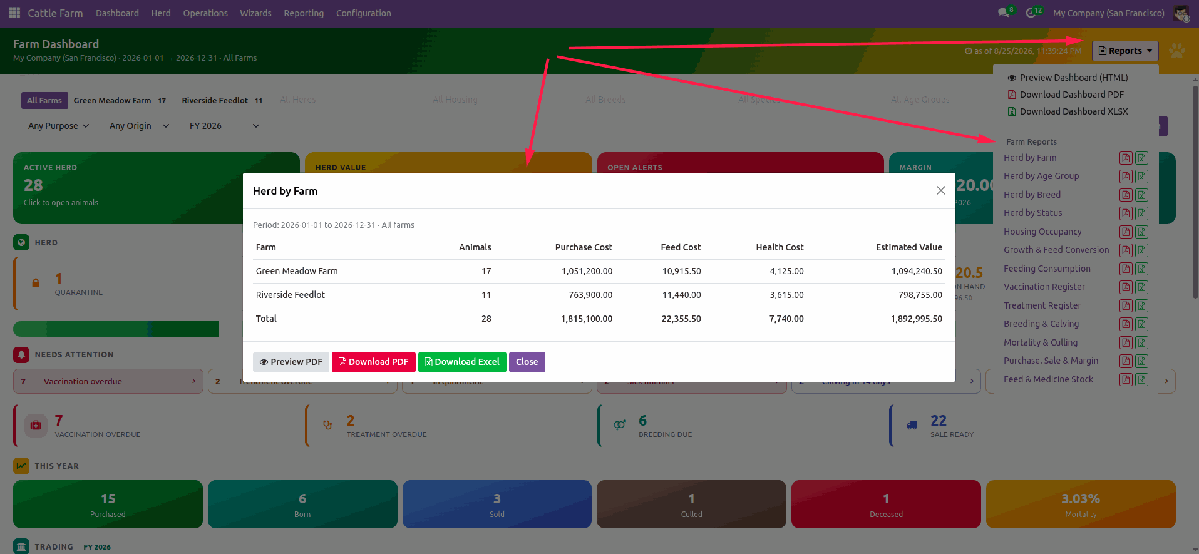
Complete Farm Reports with PDF & Excel Export
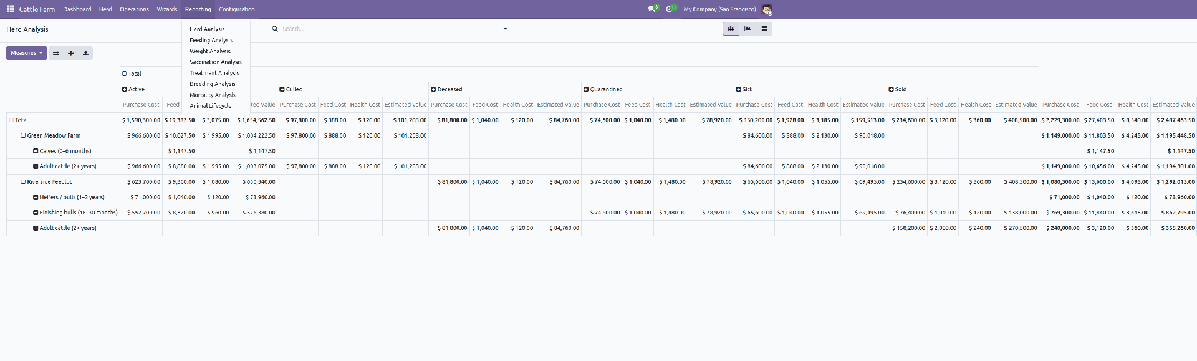
Herd composition, housing occupancy, growth and feed conversion, feeding, vaccination, treatments, breeding and calving, mortality and culling, purchase/sale margin, feed and medicine stock. Preview on screen, then download the same result as PDF or Excel (.xlsx). Pivot and graph analysis sit on the operational models.
FeedingPlan a round from a ration, confirm it, and the ingredients leave the warehouse. Feed cost lands on the animals that ate. 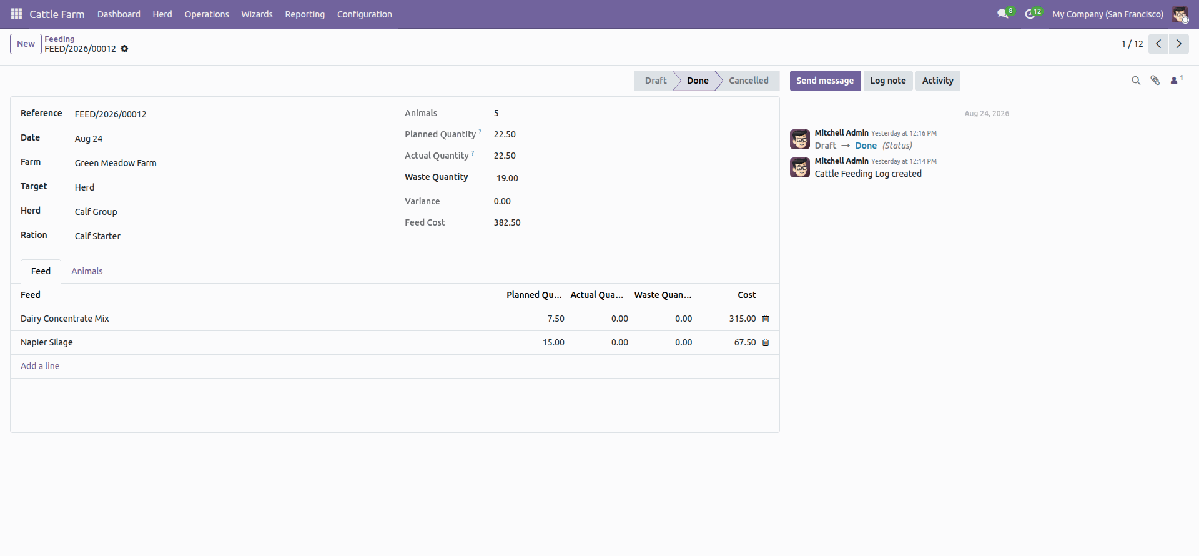
|
HealthVaccination schedules with boosters and withdrawal periods, treatments that consume medicine, and overdue work on the dashboard. 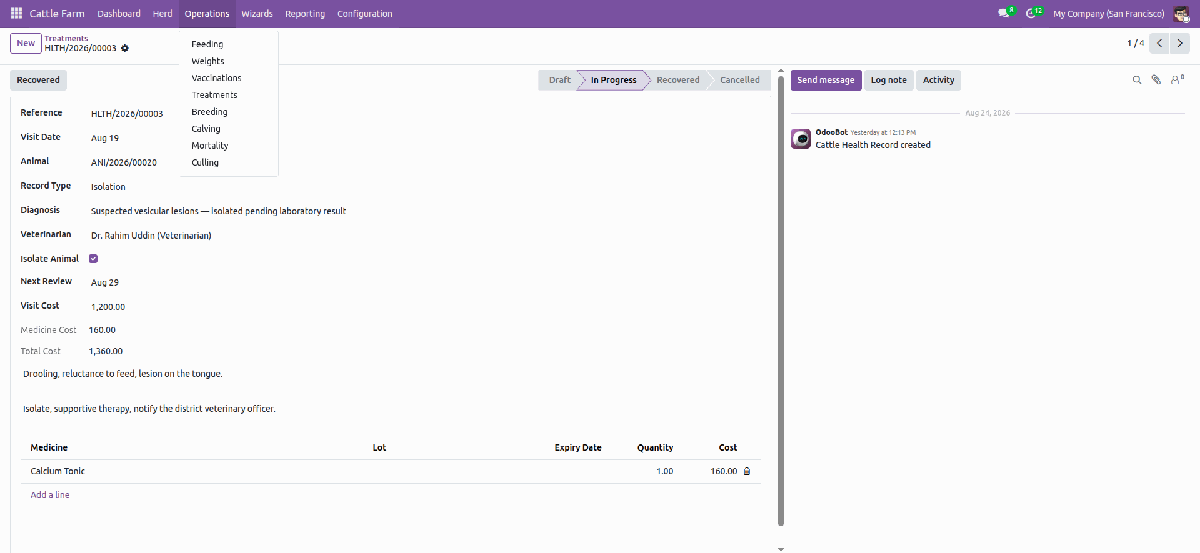
|
Breeding & CalvingHeat, service, pregnancy check and expected calving. Calving creates the calf card, already linked to its dam. Calendar view on breeding. 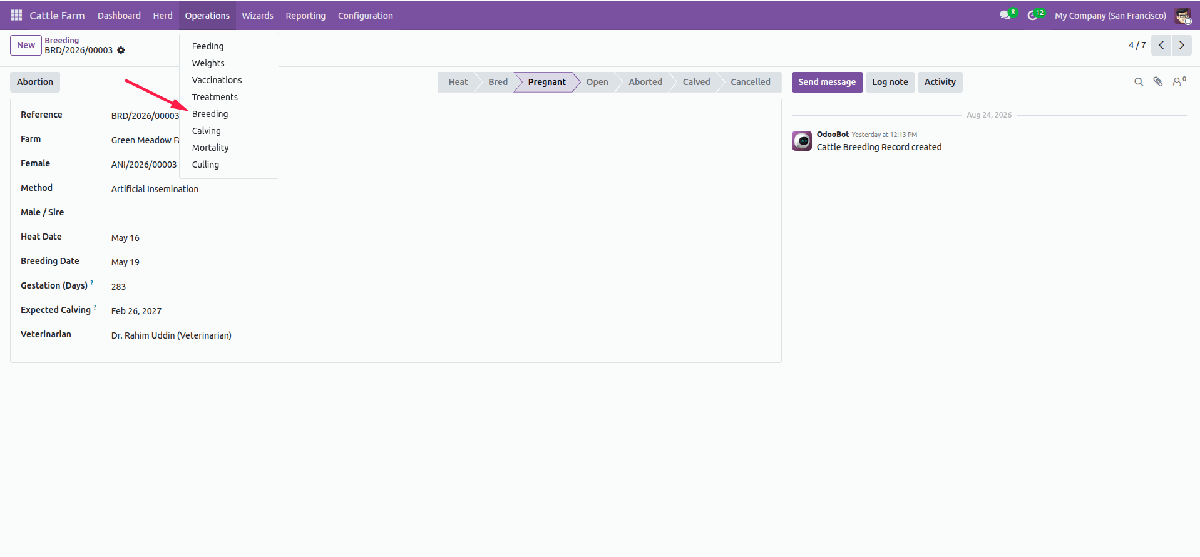
|
Many Animals at OnceFeed, vaccinate, weigh or move a whole pen in one dialog. Purchase intake and sale-order animal selection are included. 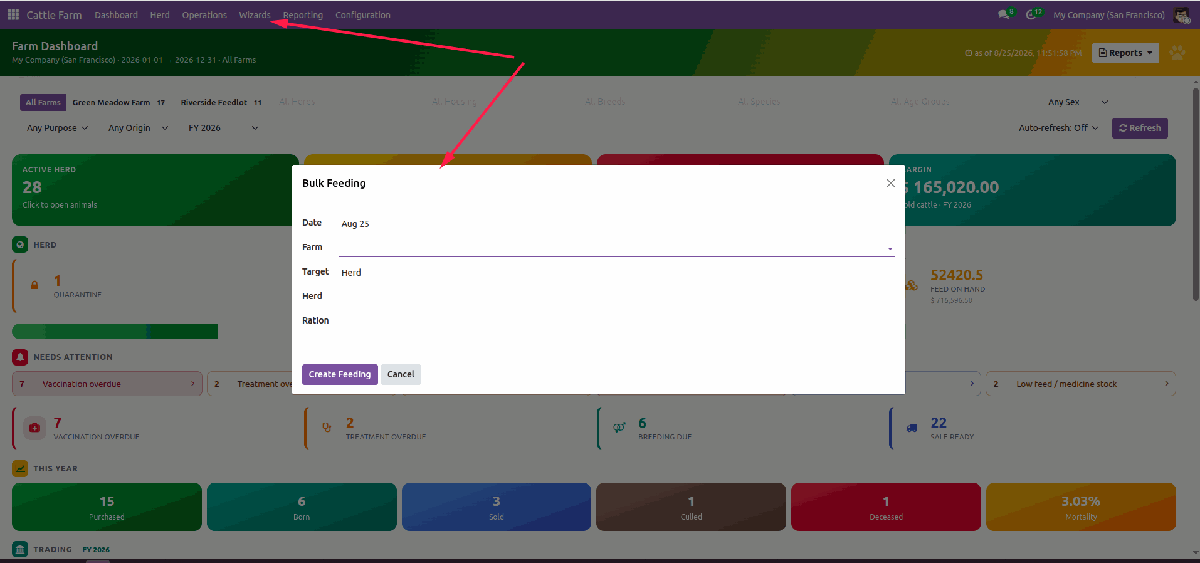
|
For Farm WorkersRecord feeding, weights and vaccinations for a whole herd in one sheet, and treatments on the animal, without leaving the barn workflow. |
For ManagersWatch occupancy, overdue work, growth and trading margin from the dashboard and shade map. |
For Owners & InvestorsRead herd value, shares and period results. Investors have a dedicated read-only role. |
What You Get
|
Animals, herds, farms and living areas Species, breeds and age groups Ear tag, RFID and barcode fields Shared ownership with investor shares Transfer between farms Visual shade / farm map Kanban cards for farms, herds, housing and shares |
Rations and feeding with stock moves Weight logs, daily gain and FCR Vaccinations, boosters, withdrawal Treatments with medicine consumption Breeding, calving, death and culling Bulk feeding, vaccination and weighing Weighing sheet, vaccination matrix and weekly feeding plan grids |
Purchase intake to animal cards Landed costs on the batch Sale with real margin per animal Fiscal-year dashboard and reports PDF and XLSX report exports Demo data for every model |
Easy ConfigurationCreate the farm, list sheds and pens with capacity, draw the map, and you are running. Demo data lets you try every screen before you type an animal of your own. 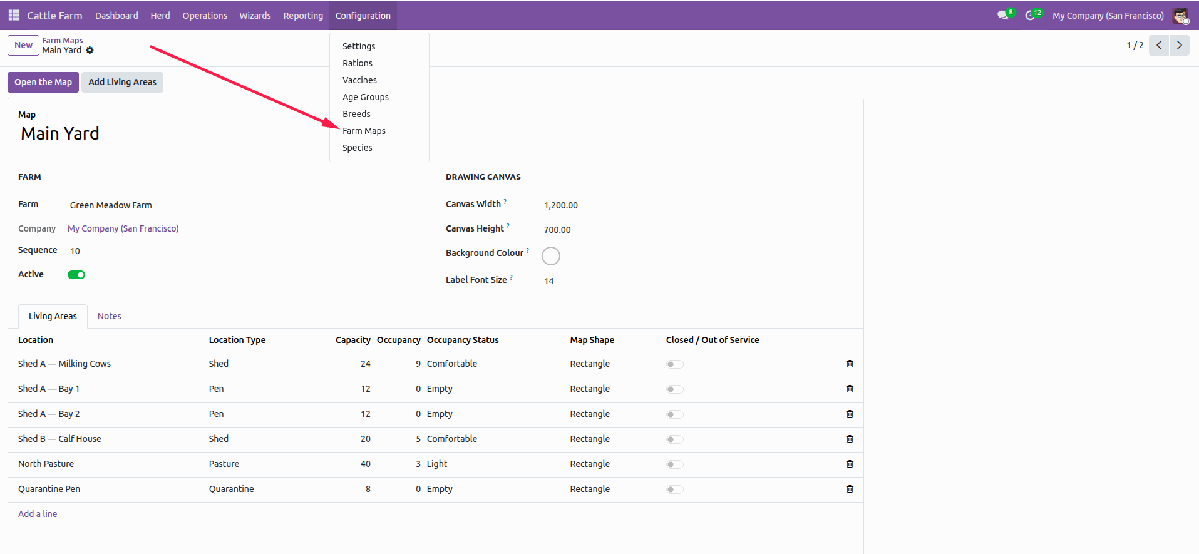
|
Secure by DesignFarm Worker, Farm Manager and Farm Administrator groups, plus a read-only Investor role. Record rules keep each user on the animals they are allowed to see. No Enterprise Documents app is required — photos and certificates attach to the animal card. |
Operations FriendlyScheduled jobs update age groups and raise vaccination, treatment and calving activities. Historical feeding, health and exit records are archived, not deleted. |
Multiple Language SupportEnglish, Bengali (Bangla), Arabic RTL, Simplified Chinese, French, Spanish and German — including dashboards, the drawing editor and printed reports. 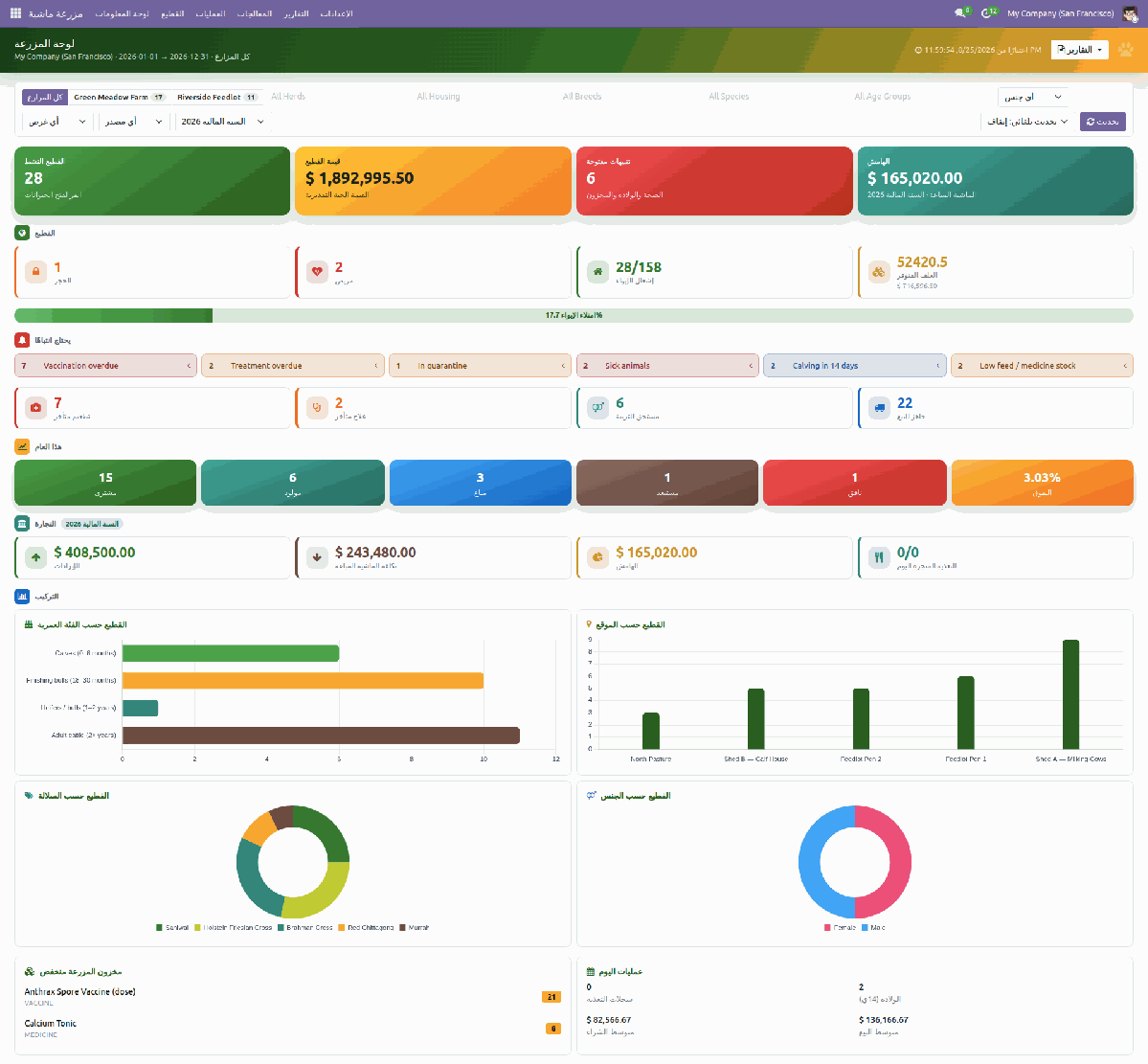
|
Built to Fit Your Odoo
| Version: Odoo 19 |
Edition: Community |
Dependencies: Sales, Purchase, Inventory, Accounting |
License: OPL-1 |
Works with standard Sales, Purchase, Inventory and Accounting on Odoo 19 Community. Excel export needs the Python package xlsxwriter on the server. Also uses Contacts, Employees, barcodes, landed costs and product expiry.
Complete User Manual Included in the Module
The beginner-friendly manual covers farms and housing, animals, feeding, health, breeding, dashboards, fiscal-year filters, the shade map, the grid screens, reports and daily wizards — illustrated with live screenshots. Markdown and PDF ship with the module, and the full video tutorial walks through every step.
Support & Developer Details
For installation help, customization, extra farm reports or implementation support, contact the maintainer.
| Name: Abdullah Al Arafat |
Mobile/Whatsapp: +8801712192445 |
Email: imbipul9@gmail.com |
Highlights
- Animal and farm records • Daily operations tracking • Planning and management • Farm reporting