- Technical name
pos_auto_close- Category
- Point of Sale
- Versions
- Odoo 17Odoo 18Odoo 19
- Price
- 8.0 EUR
- Dependencies
- base, point_of_sale
POS Auto Close
After a time period, all opened pos sessions will be closed.
An action schedule is configured automatically while installed.
You can edit/update that action schedule configuration.
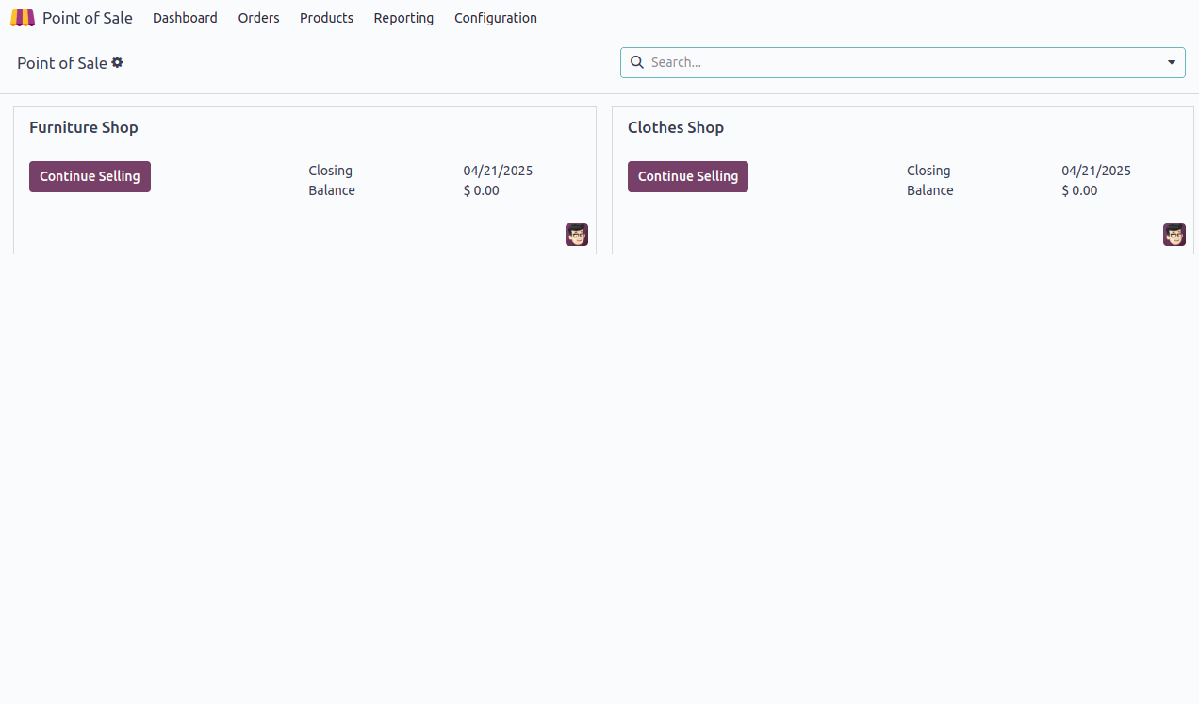
- All opened pos sessions are running their operations.
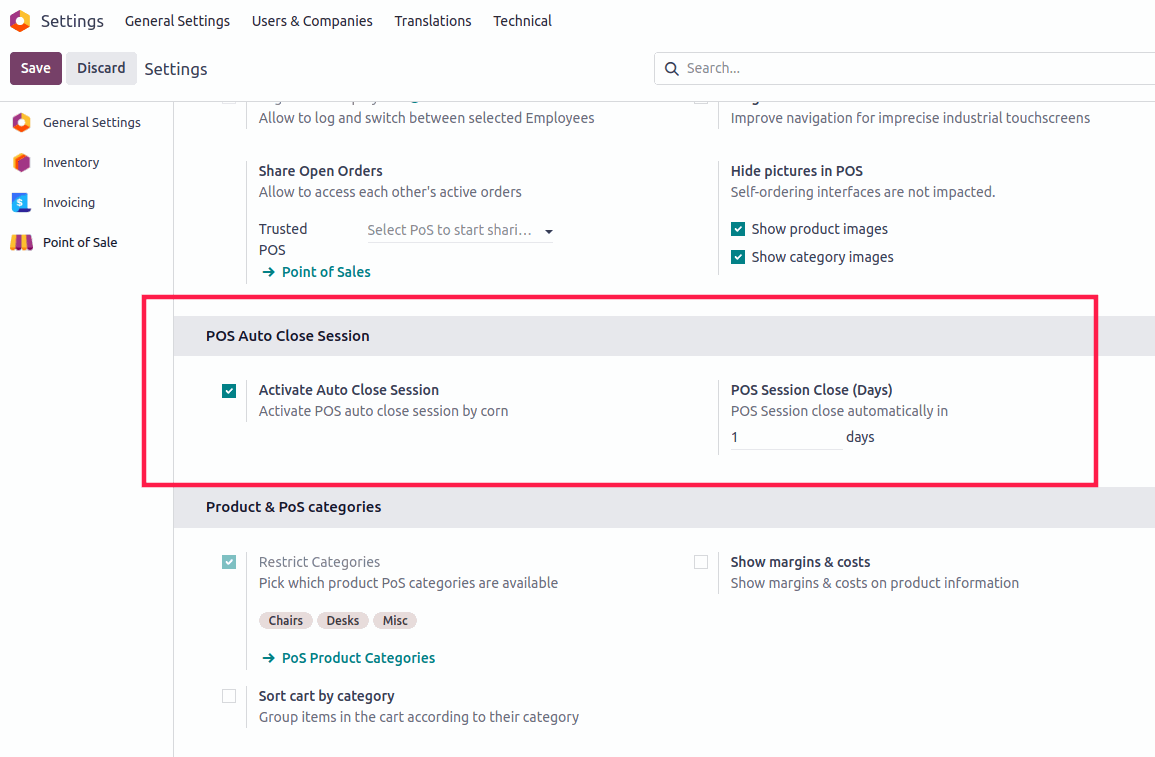
- Activate/Deactivate POS auto close session by Schedule Action (Corn).
- Set days to auto close session after mentioned days.
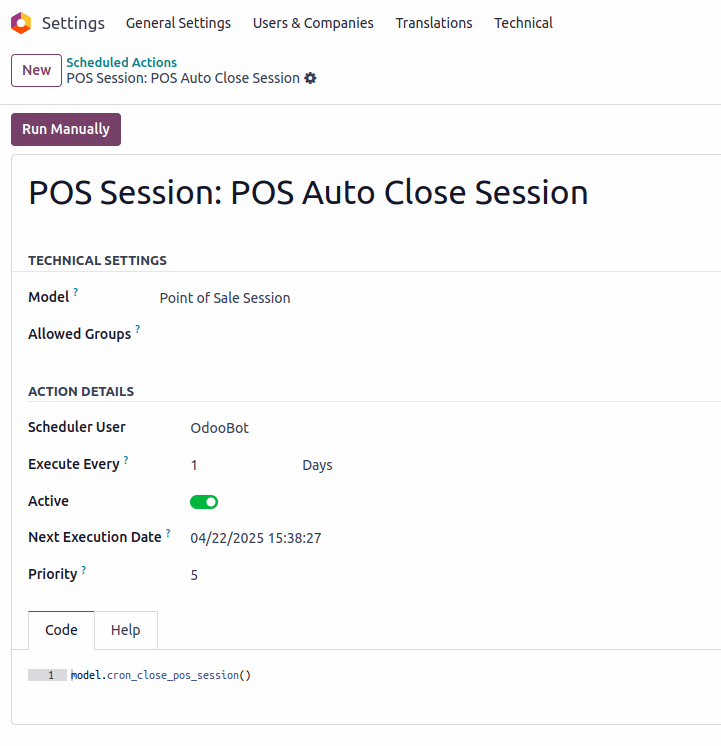
- Scheduled Action configuration where you can update. Here you can run corn manually.
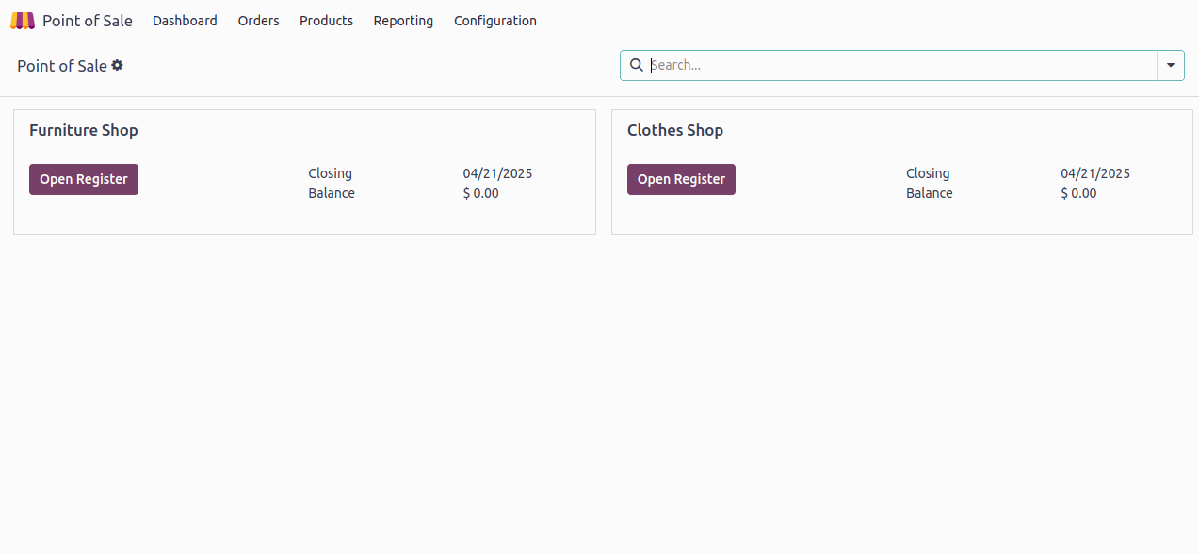
- After run Scheduled Action, all open pos sessions are closed.
Developer
Name: Abdullah Al Arafat
Email: imbipul9@gmail.com
Mobile: +8801712192445