
|
Odoo 15 - 19 Community & Enterprise
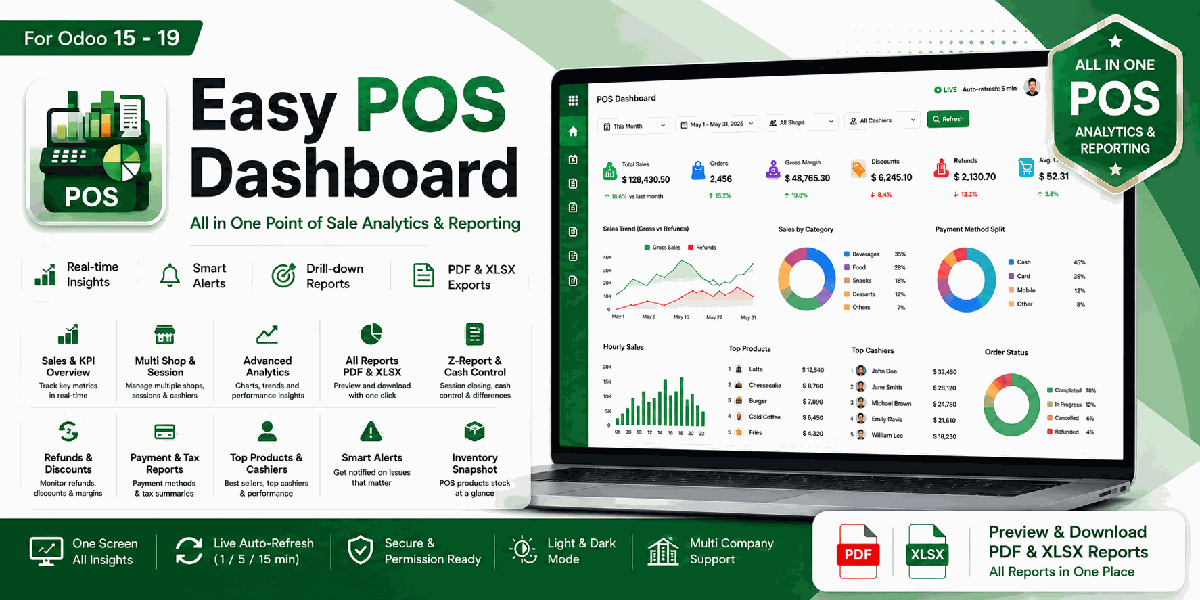
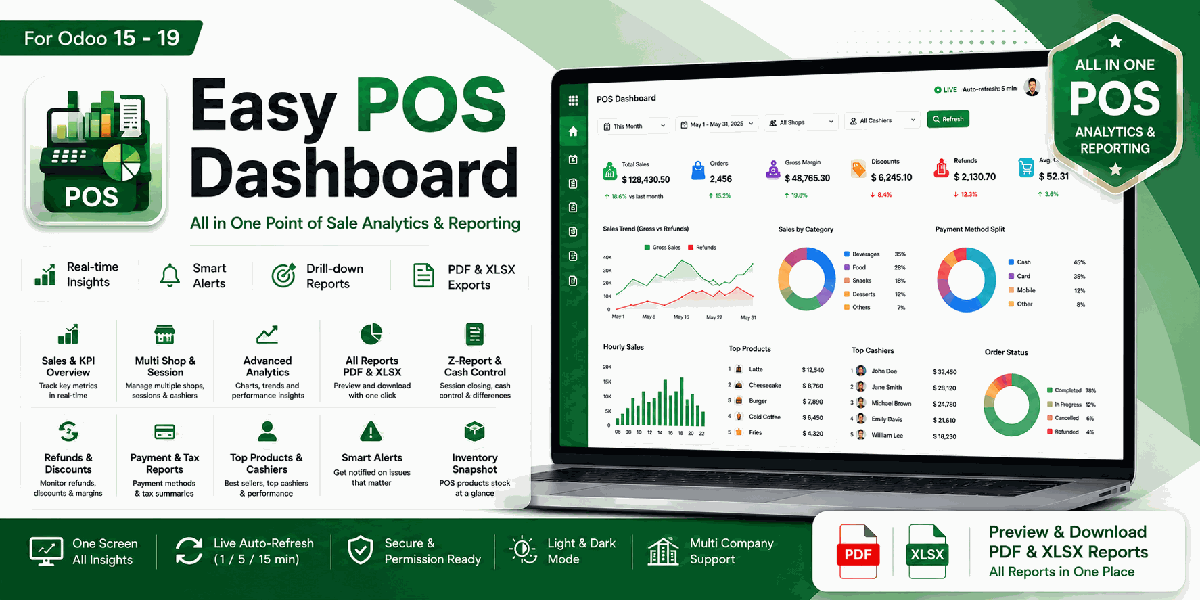
Easy POS DashboardAll-in-one Point of Sale analytics, KPIs and reports for Odoo.A single-screen, real-time overview of POS sales, sessions, cash, refunds, stock alerts, cashier performance and shop activity, with drill-down actions plus PDF and Excel reports. |
Built for
POS Managers Cashiers Retail Analysts Owners
Uses standard Odoo POS data and respects POS security groups.
|
|
All in One
Sales, sessions, payments and shops in single-screen
|
1 click
Drill down from KPIs, charts and alerts
|
Live
Manual refresh and auto-refresh dashboard
|
PDF/XLSX
Preview and export POS all reports
|
Why This Module
POS data often lives across orders, sessions, payments, products, cash control and reporting menus. Daily users need quick answers without switching between screens.
Easy POS Dashboard puts your complete POS performance on one screen with actionable KPIs, charts, shop cards, alert counters and export-ready operational reports.
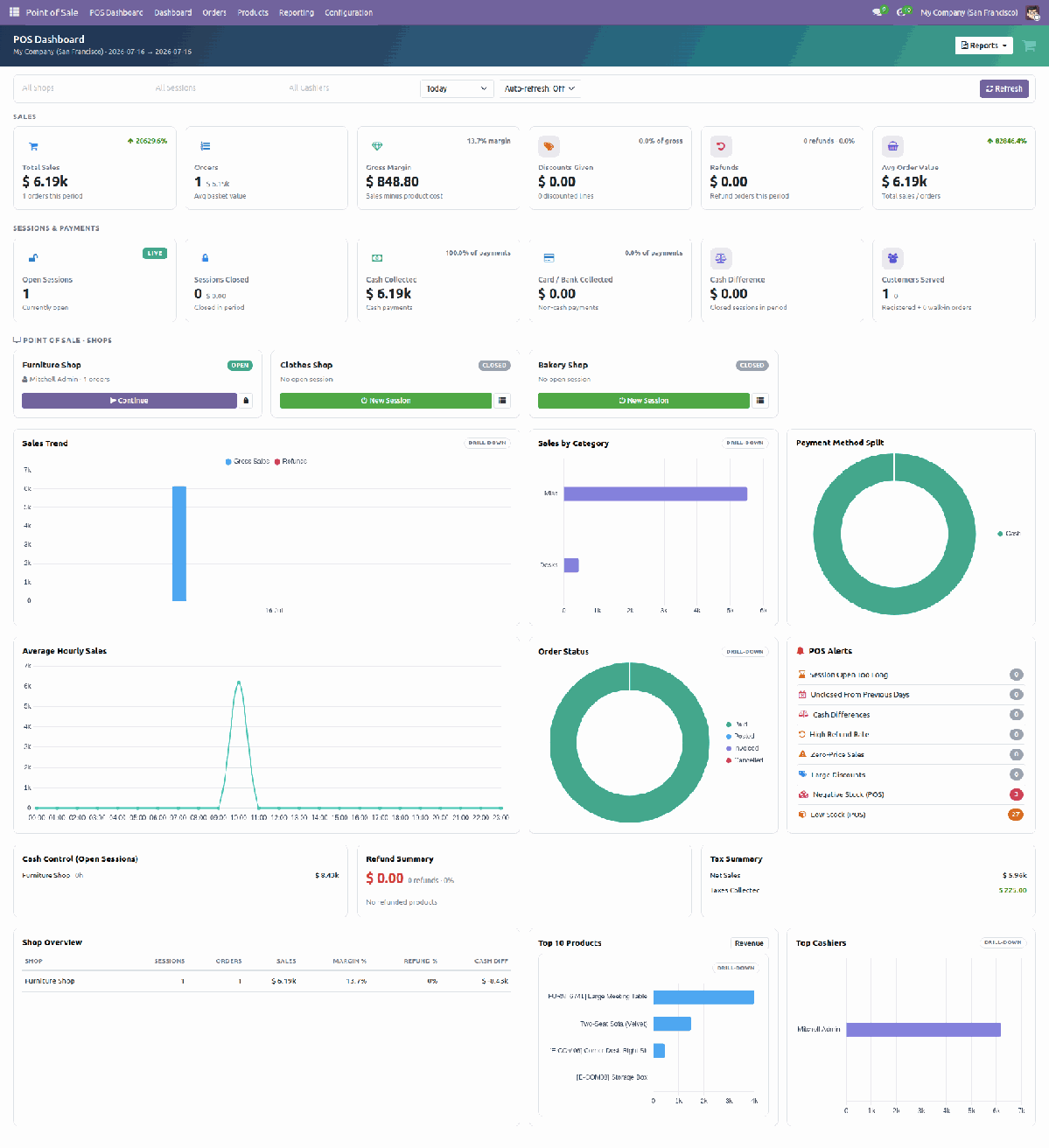
Sales KPIsTotal sales, order count, gross margin, discounts, refunds, average order value and customers served with period-based visibility. |
Sessions & PaymentsOpen sessions, closed sessions, cash collected, card or bank collected, cash difference and cash control panels for active shops. |
Charts & TrendsGross sales versus refunds, sales by category, payment method split, average hourly sales, top products, top cashiers and order status. |
Shop OverviewMulti-shop cards, session status, sales totals, margin percentage, refund percentage and cash difference by POS configuration. |
POS Alerts PanelOpen-too-long sessions, previous-day unclosed sessions, cash differences, high refunds, zero-price sales, large discounts and stock alerts. |
One-Click Drill-DownOpen the related Odoo orders, sessions, products, payments and alert records directly from dashboard widgets. |
Filters for POS OperationsFilter the whole dashboard by company, shop, session, cashier and period. Every KPI, chart, table and alert updates for the selected scope. Refresh manually or enable live auto-refresh every 1, 5 or 15 minutes. |
|
||||||||
Complete POS Reports with PDF & Excel Export
Open operational POS reports from the Reports menu, preview the data on screen, then download the same result as PDF or Excel (.xlsx). Reports include daily sales, Z-report sessions, products, categories, cashiers, shops, payments, refunds, discounts, taxes, hourly sales, movers, customers, margin, cash in/out and inventory snapshot.
For POS ManagersTrack live sessions, cashier sales, cash differences, refunds, discounts and daily shop activity. |
For Retail TeamsUnderstand top products, hourly peaks, payment mix, stock pressure and customer flow. |
For OwnersReview sales, margins, refunds, payment collection and shop performance from one place. |
What You Get
|
Total sales and order KPIs Gross margin and discount tracking Refund and average order value KPIs Open and closed session monitoring Cash, card and bank collection overview Cash difference visibility |
Sales trend and hourly sales charts Sales by category chart Payment method split chart Top products and top cashiers Order status donut Shop overview comparison table |
Configurable POS alerts Refund and tax summaries One-click record drill-down Report preview before download PDF and XLSX report exports Light, dark and RTL-safe interface |
Easy ConfigurationInstall and use with standard POS data. Configure dashboard settings such as alert thresholds, default periods and refresh behavior as needed. |
Secure by DesignReads through standard Odoo models and respects POS users, POS managers, company access and record rules. |
Operations FriendlyBatched dashboard views reduce the manual work of opening separate POS screens for daily sales control. |
Multiple Language SupportIncludes English, Bangla, Arabic RTL, Chinese, French, Spanish and German for multilingual retail teams. |
Built to Fit Your Odoo POS
| Version: Odoo 15 - 19 |
Edition: Community & Enterprise |
Dependencies: Point of Sale, Web |
License: OPL-1 |
This module reads existing POS data through the standard Odoo ORM. It does not modify Odoo core and works with multi-shop, multi-session and multi-company setups.
Complete User Manual Included
The full manual covers access & security groups, filters, refresh behavior, KPI cards, charts, the shop overview, the POS alerts panel, the complete 16-report catalog with PDF/XLSX export, settings and troubleshooting.
Open User Manual PDFSupport & Developer Details
For installation help, customization, additional dashboard widgets, custom POS reports or implementation support, contact the maintainer.
| Name: Abdullah Al Arafat |
Mobile/Whatsapp: +8801712192445 |
Email: imbipul9@gmail.com |