

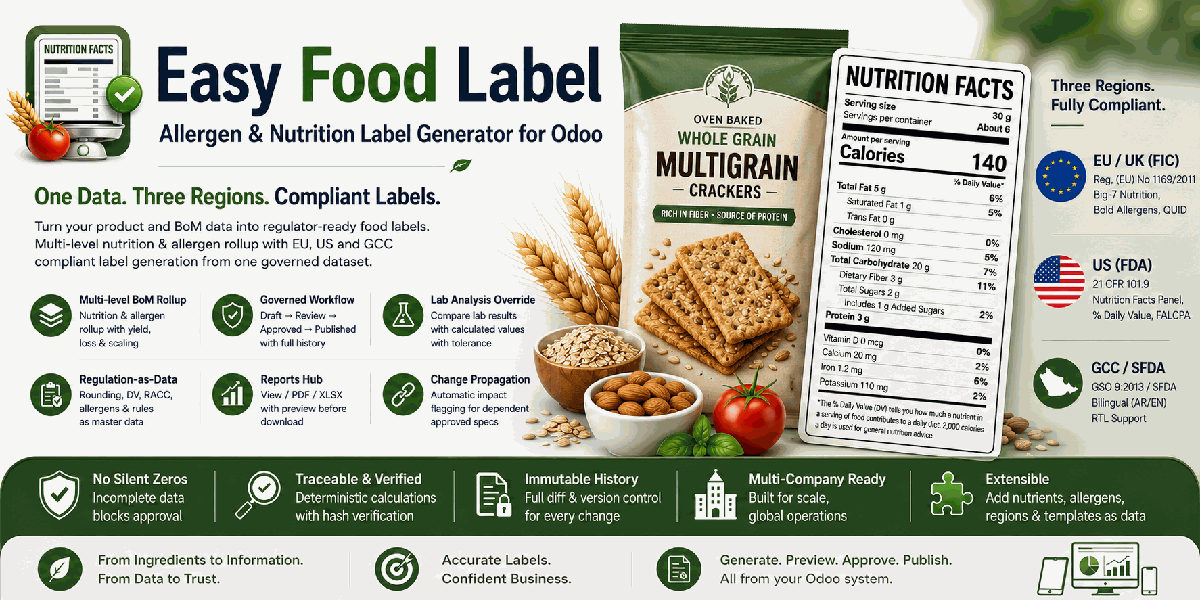
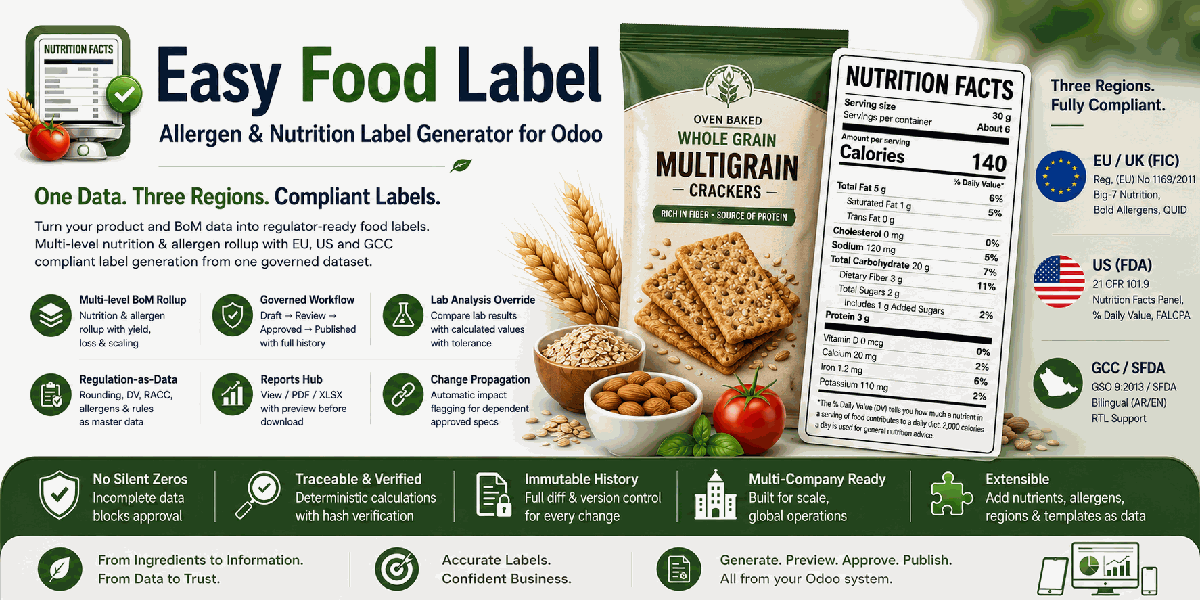
Easy Food Label
Allergen & Nutrition Label Generator
Capture nutrition and allergen data once at raw-ingredient level, roll it up through multi-level Bills of Materials, and generate region-specific food labels from one controlled dataset.
Legal notice: This module is a calculation and formatting tool. It does not certify compliance. Final legal responsibility for label accuracy rests with the food business operator.
EU / UKIngredient list with emphasised allergens, Big-7 nutrition table and QUID percentages under FIC rules. |
United StatesNutrition Facts panel, RACC serving sizes, Daily Value percentages and a Contains statement. |
GCC / SFDABilingual Arabic-English label output with right-to-left layout support for GSO requirements. |
One Controlled Workflow
Flag products → Enter nutrition → Declare allergens → Configure recipes → Create a label specification → Run rollup → Resolve validation → Approve → Publish and print
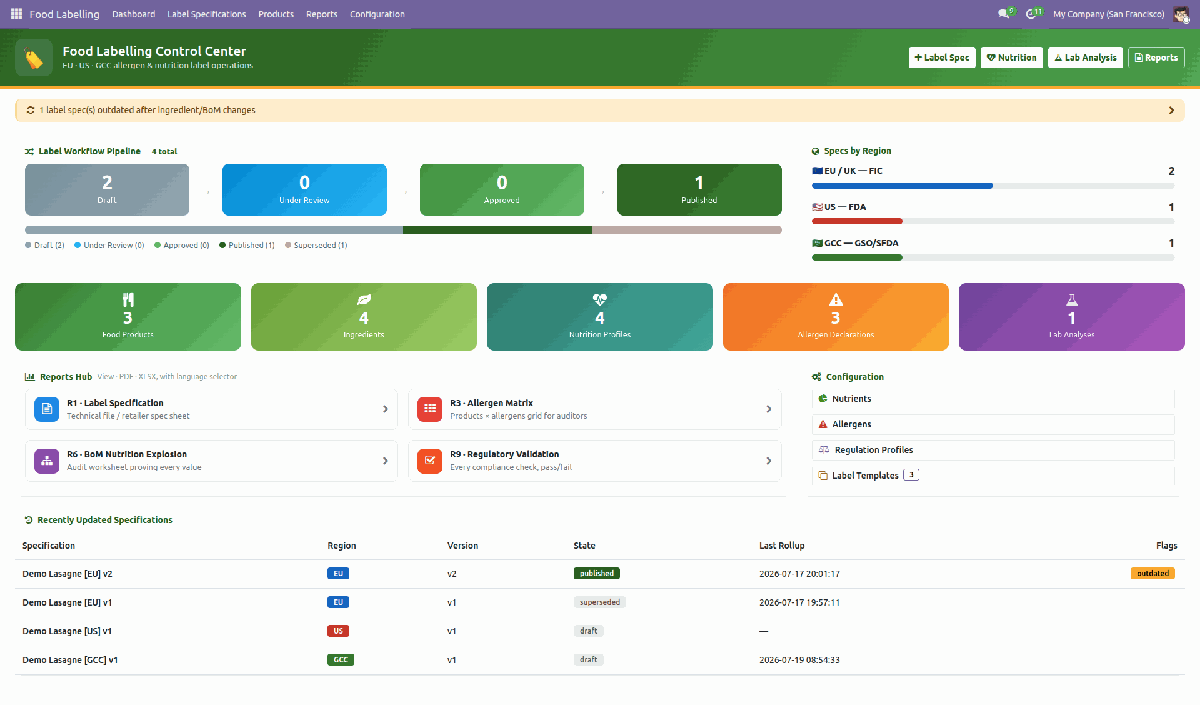
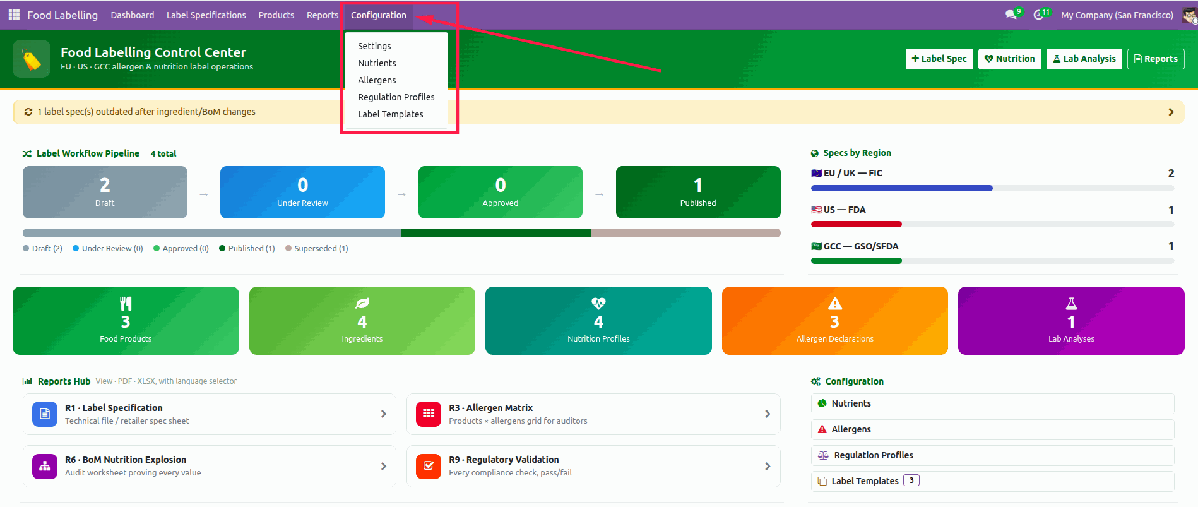
Operations Dashboard
Monitor draft, review, approved and published specifications. Open alerts for outdated labels, blocking validation errors, expiring supplier declarations and ingredients with missing data.
Role-Based Access
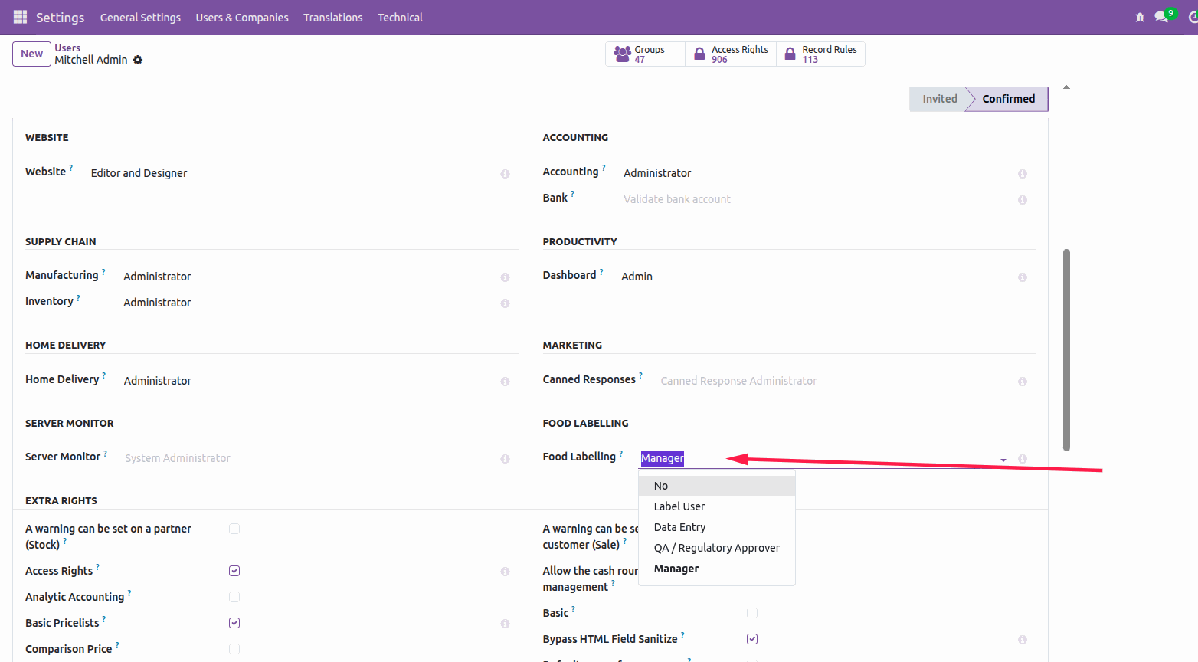
| Role | Responsibility |
|---|---|
| Label User | Read specifications, run reports and view dashboards. |
| Data Entry | Maintain ingredient nutrition, allergens and draft specifications. |
| QA / Regulatory Approver | Approve, publish, validate lab analyses and record justified overrides. |
| Manager | Manage regulation profiles, templates and configuration. |
Step-by-Step Setup
From ingredient master data to production-ready label output.
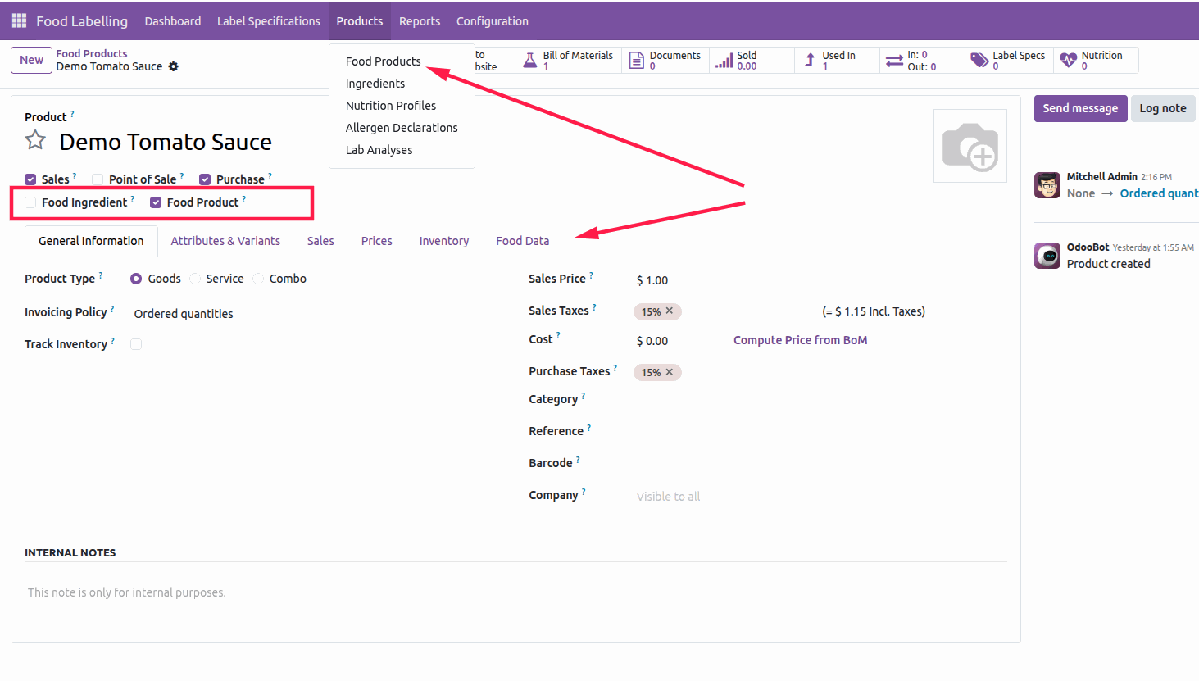
1Flag Food Products and Ingredients
Tick Food Ingredient for raw materials and Food Product for finished or intermediate products. Complete the legal name, Arabic legal name when applicable, density for volume-to-mass conversion, origin, additive information, certifications, GMO status, net quantity and US serving references where required.
2Enter Nutrition Data
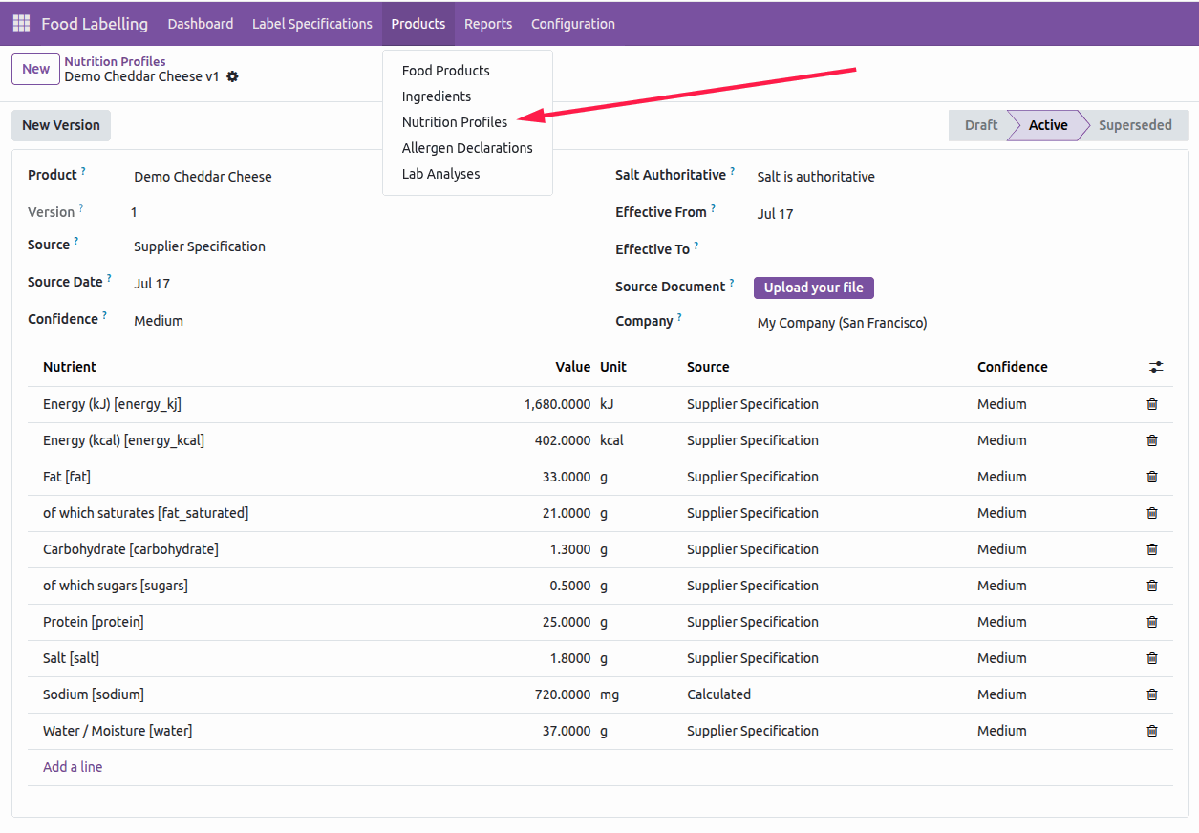
Create a nutrition profile, select its source, attach supporting documentation and record nutrient values per 100 g as purchased. Salt and sodium can be synchronised, while activation controls which profile is used by the calculation engine.
3Declare Allergens
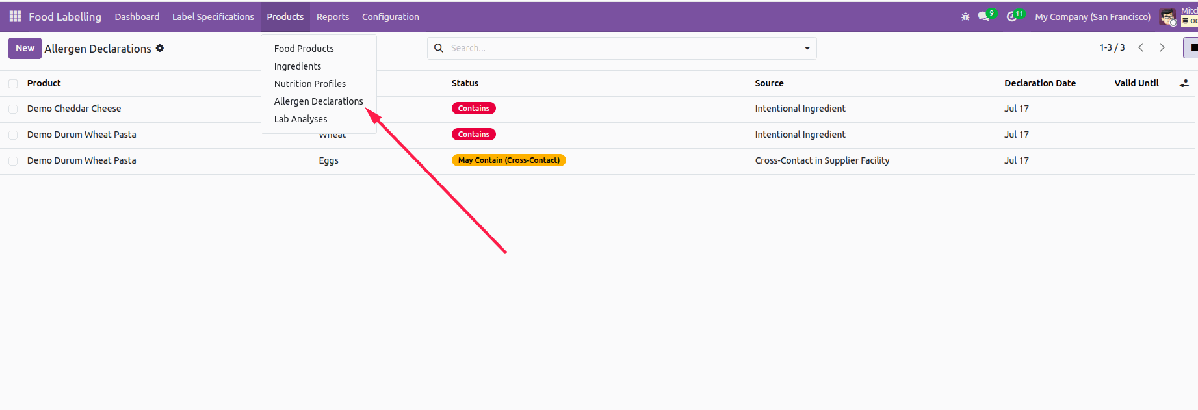
Record each allergen as Contains, May Contain or Free From, identify its source, attach the supplier declaration and set its validity date. Region-specific declarability and translated names are maintained in allergen master data.
4Configure the Recipe
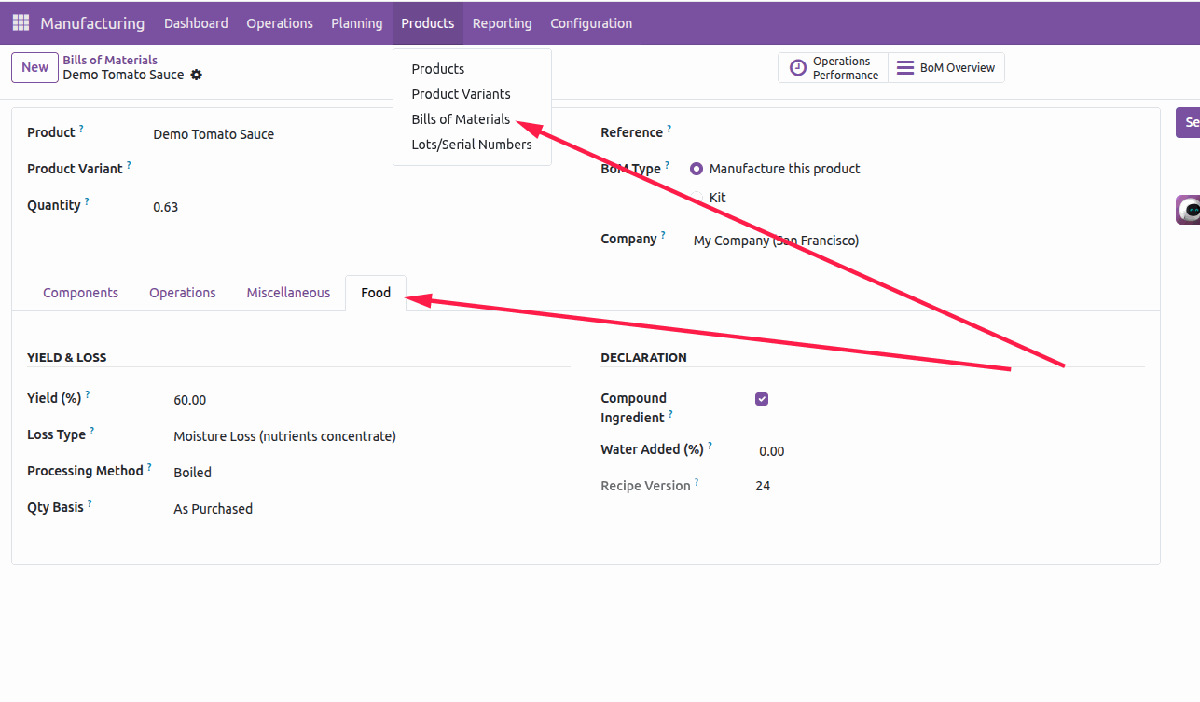
Use the BoM Food tab to define yield, moisture or material loss, compound ingredients and added water. Multi-level recipes are exploded recursively, with unit conversion and yield applied at each recipe level.
5Create a Label Specification
Create one specification for each product and target region. Select the regulation profile and physical label template, then complete serving, storage, preparation, shelf-life, business-operator and importer details as applicable.
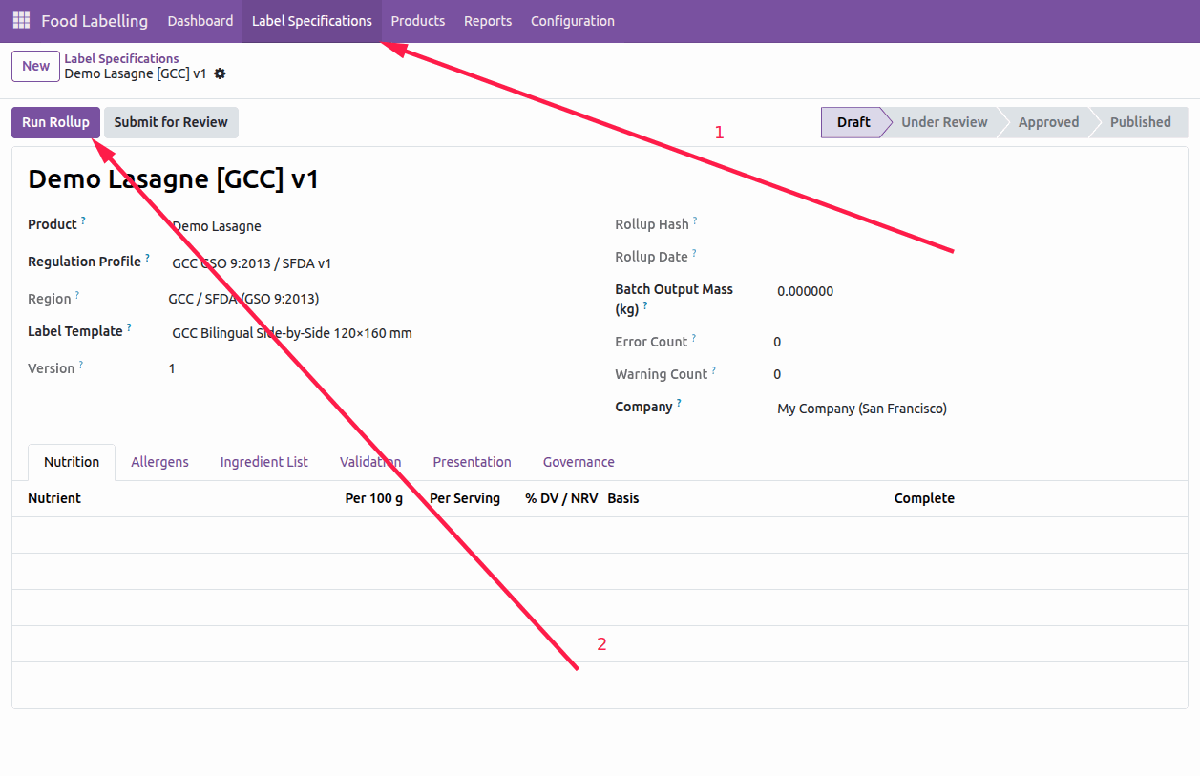
6Run the Rollup
The engine explodes the recipe to leaf ingredients, converts quantities to mass, applies recipe losses, calculates nutrition, consolidates allergens with trace paths, creates the descending ingredient list, and records the exact source data used for reproducibility.
7Resolve Validation Issues
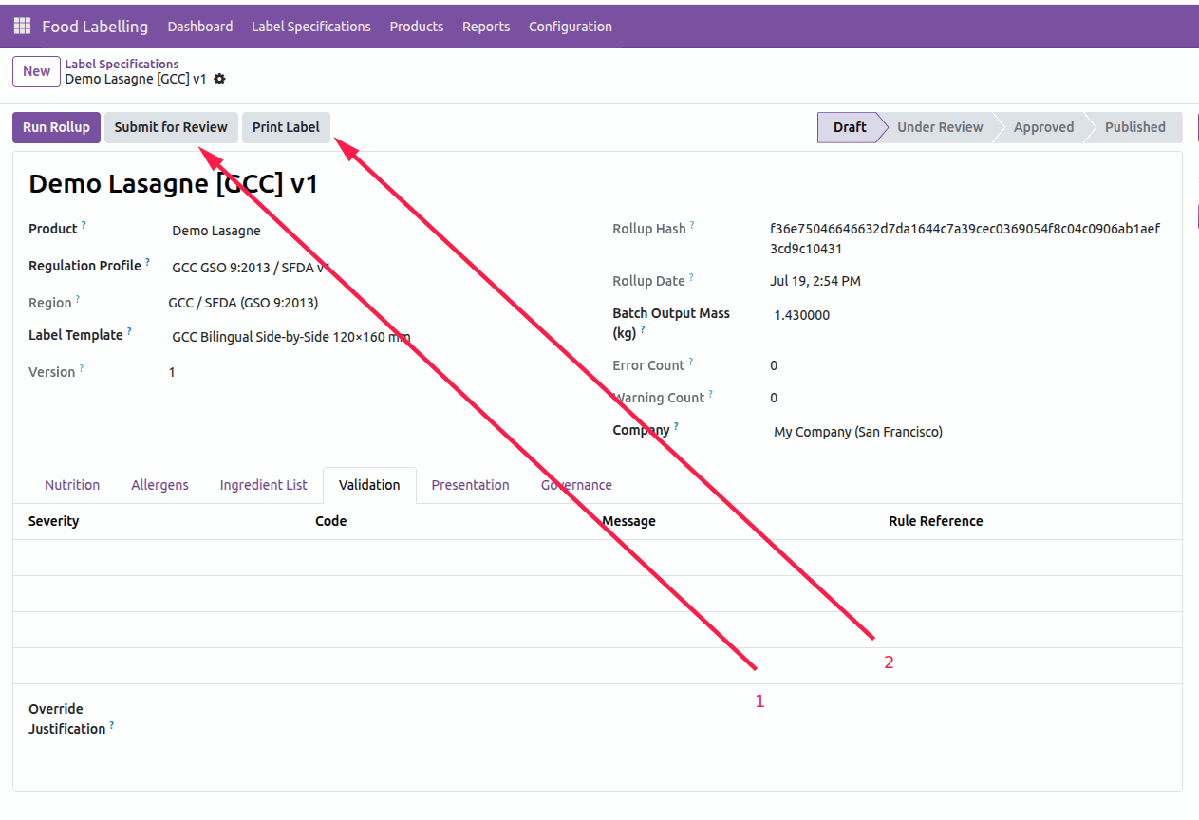
Review every check and its rule reference on the Validation tab. Errors such as missing mandatory nutrients, missing legal names, incomplete allergen emphasis, missing RACC data or missing Arabic content block approval. Warnings remain visible without silently replacing missing information with zero.
8Review and Approve
Submit the specification for review, then let an authorised QA or Regulatory Approver approve it after validation runs again. Approved and published records are immutable; further changes use a linked new revision so the audit history remains intact.
9Publish and Print
Publish the approved specification and print the panel selected by its region. Draft and under-review output carries a production warning watermark; approved and published output renders clean.
Controlled Change Management
Changes to active nutrition data, allergen declarations, recipe inputs or regulatory rules flag dependent approved and published labels as outdated. The system keeps the approved result unchanged until a responsible user creates a new revision, recalculates and re-approves it.
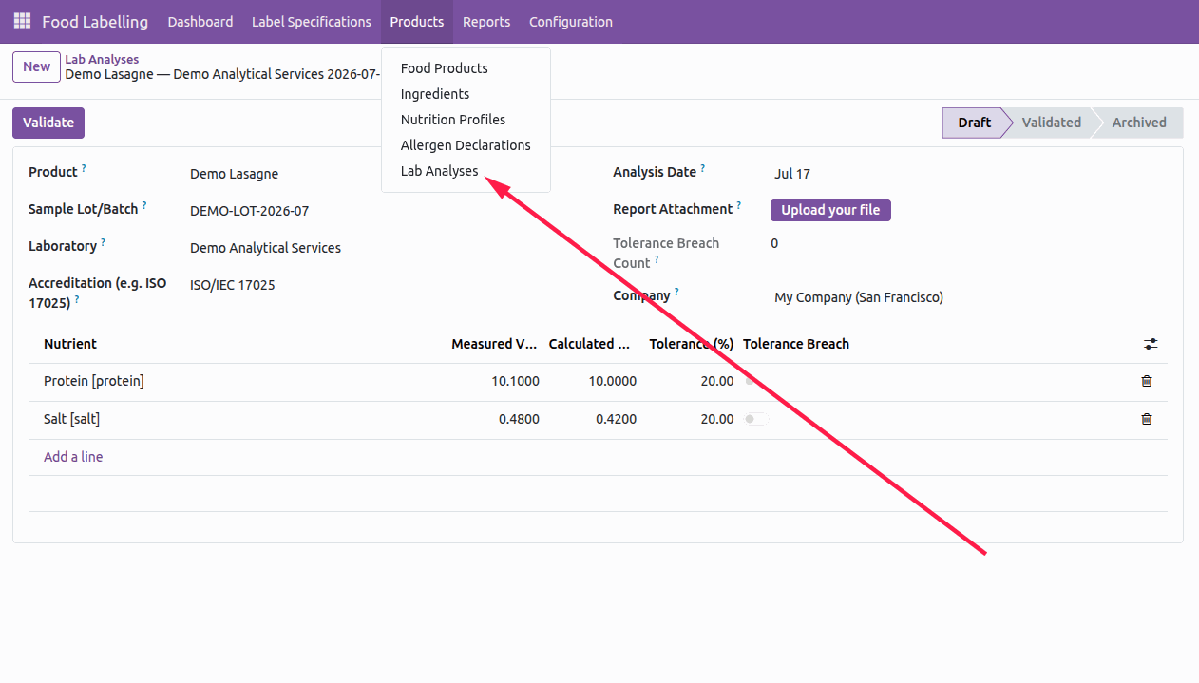
Validated Lab Analysis
Record the laboratory, accreditation, sample lot, analysis date, report attachment and measured nutrient values. Once validated by an approver, measured results can override calculated values nutrient by nutrient, with tolerance checks highlighting material differences.
Regulatory and Audit Reports
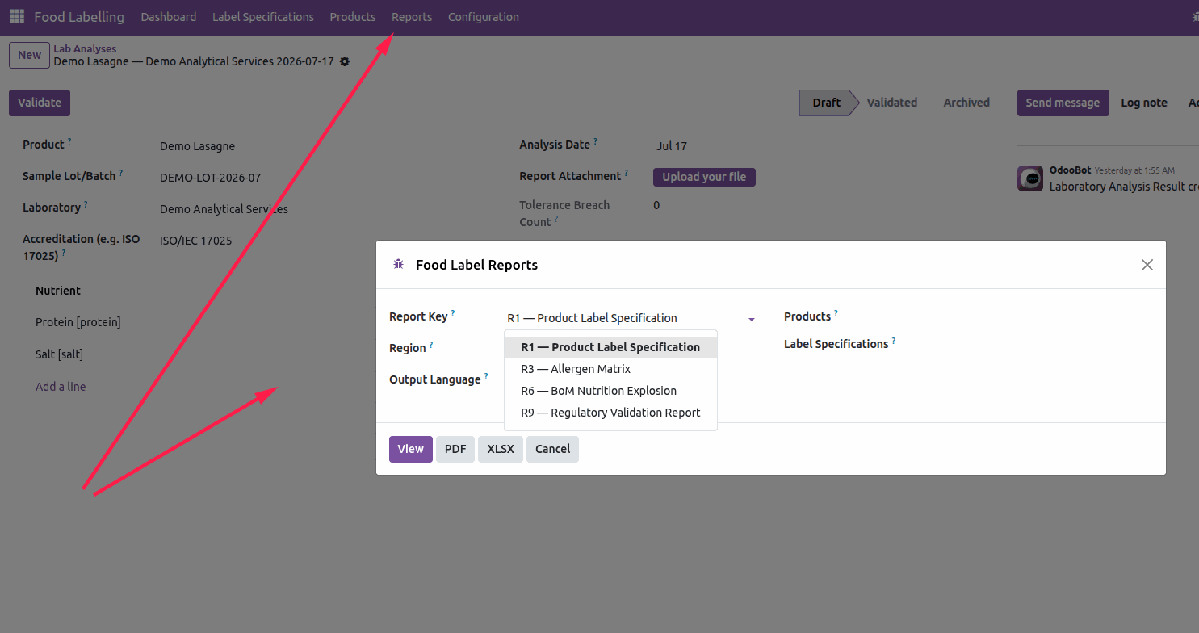
Preview operational views or produce PDF and XLSX output for product label specifications, allergen matrices, BoM nutrition explosions and regulatory validation results. Output language and relevant product, specification or region filters can be selected in the report wizard.
Configuration and Master Data
Managers control default region, sign-off policy, lab tolerance, water threshold, watermark text, legal disclaimer and Arabic font diagnostics. Nutrients, allergens, regulation profiles, rounding rules, Daily Values, RACC references and physical label templates remain configurable data.
Multilingual ContentTranslated legal names, statements, nutrients and allergens support English, Arabic, Bangla, Chinese, Spanish, French and German. Required content languages can block approval when regulated translations are incomplete. |
Audit-Ready RecordsSource attachments, trace paths, validation references, approval controls, change propagation and immutable published specifications preserve the evidence behind each label. |
From Ingredient Data to Trusted Label Output
Maintain the source once, calculate through the complete recipe structure, validate against the selected regulatory profile, and keep approvals and revisions under control.
Module Information
| Version Odoo 15-19 |
Category Manufacturing |
Dependencies Product, Manufacturing, Units of Measure, Discuss / Mail, and Web |
License OPL-1 |
Installable application built on standard product, recipe, unit-of-measure, messaging and web components.
Support & Developer Details
For installation assistance, customization, label implementation, regulatory workflow configuration or technical support, contact the maintainer.
| Developer Abdullah Al Arafat |
Mobile / WhatsApp +8801712192445 |
Email imbipul9@gmail.com |