
Accounting Automation
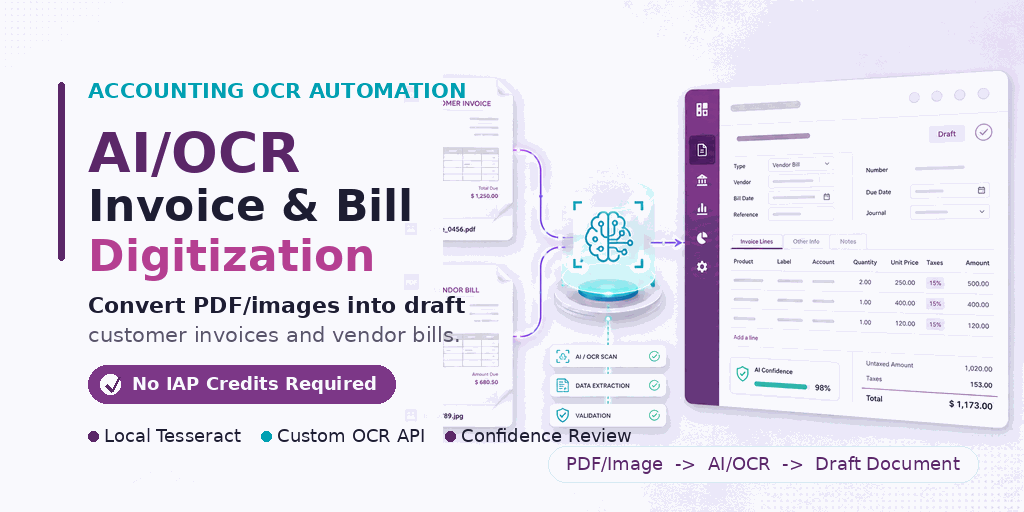
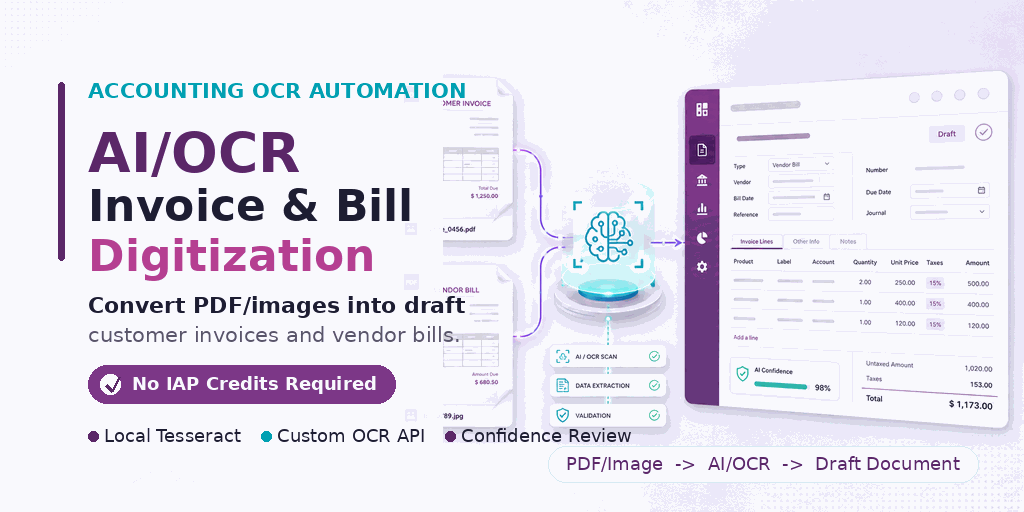
AI/OCR Invoice & Bill Digitization
Digitize customer invoices and vendor bills from PDF or image attachments into draft accounting documents. Use local Tesseract OCR or your own AI/OCR backend, with no Odoo IAP credits required.
|
AI
Pluggable OCR BackendRun with local Tesseract for offline OCR or connect your own custom AI/OCR API through the module workflow. |
PDF
PDF & Image UploadUpload invoice or bill attachments, preview the source document, and process it directly from Odoo Accounting. |
%
Confidence-Based ReviewReview extracted dates, references, totals, partners, and lines with confidence indicators before creating the document. |
Simple Workflow
From Uploaded Document to Draft Accounting Entry
Accountants stay in control: OCR suggestions are reviewed first, then confirmed to create the draft invoice or bill.
|
1
Open OCR UploadStart from the invoice or bill list using the Upload File (OCR/AI) action. |
2
Select Document TypeChoose customer invoice or vendor bill and upload the PDF/image attachment. |
3
Review SuggestionsCheck extracted partner, date, reference, total, and invoice lines with the source preview. |
4
Confirm & CreateCreate a draft accounting document and validate it only after user review. |
Screenshots
Real Odoo Accounting Screens
The module integrates into standard Odoo Accounting menus, forms, list views, and document workflows.
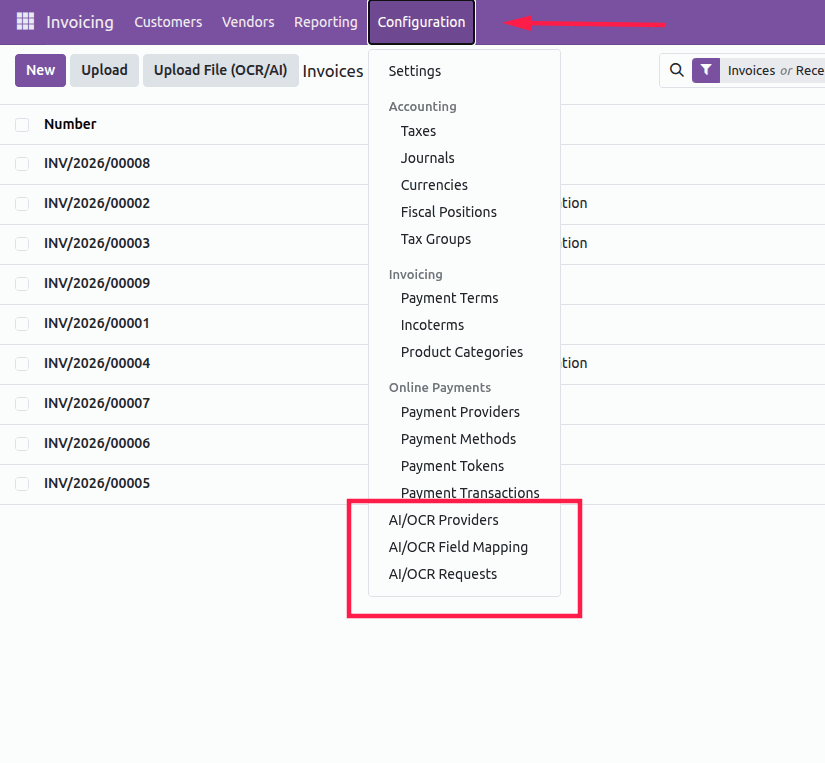
Configuration MenuManage AI/OCR Providers, Field Mapping, and OCR Requests from the Accounting configuration menu. |
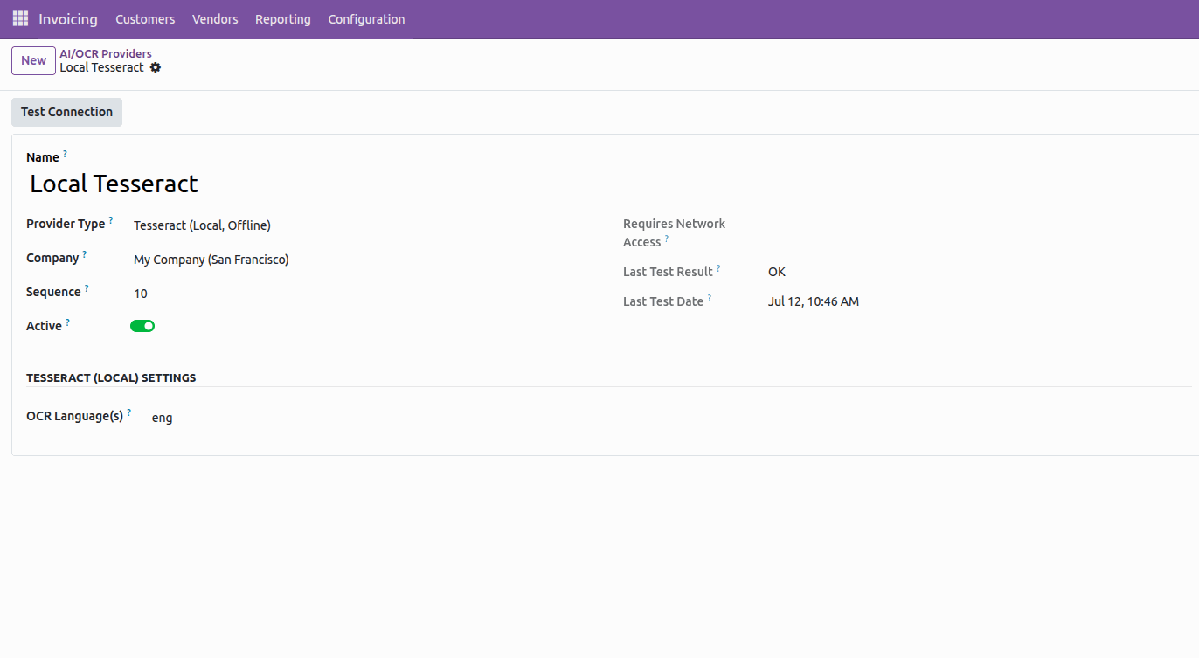
Local Tesseract ProviderConfigure local offline OCR, test the connection, set language, sequence, and company-specific provider settings. |
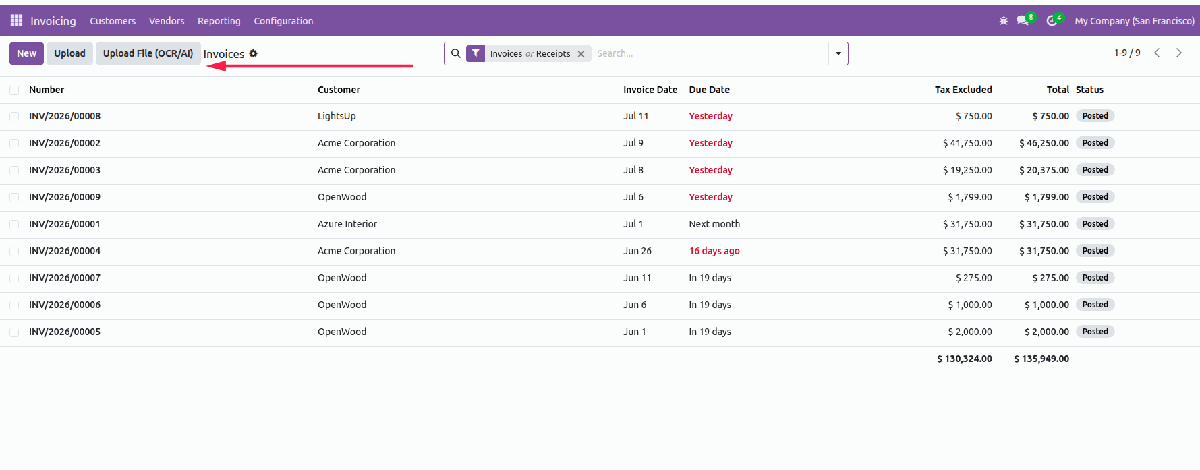
OCR Upload from Invoice ListLaunch digitization directly from the invoices and receipts list with the Upload File (OCR/AI) button. |
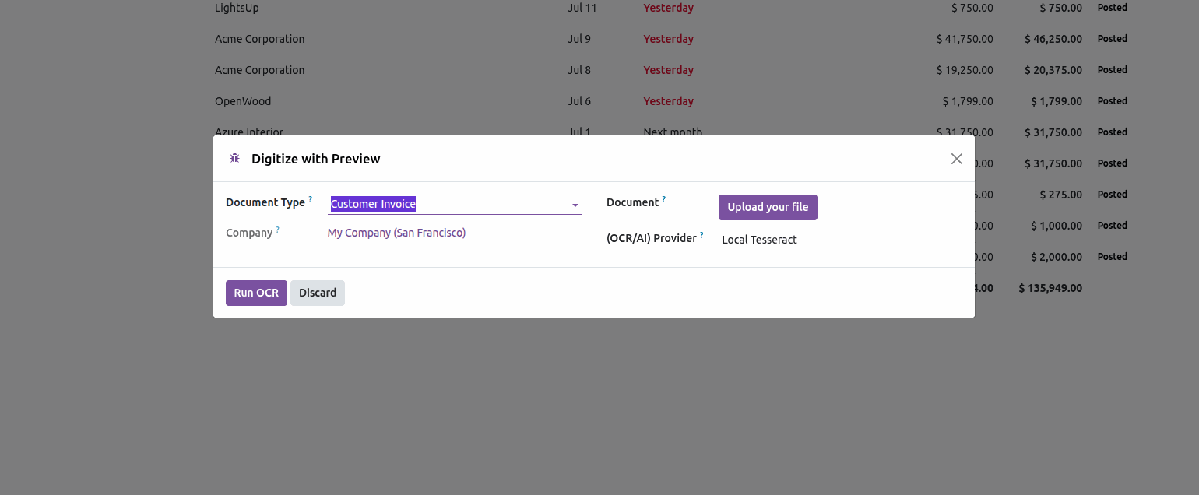
Digitize with Preview WizardSelect document type, provider, company, and upload the source file before running OCR. |
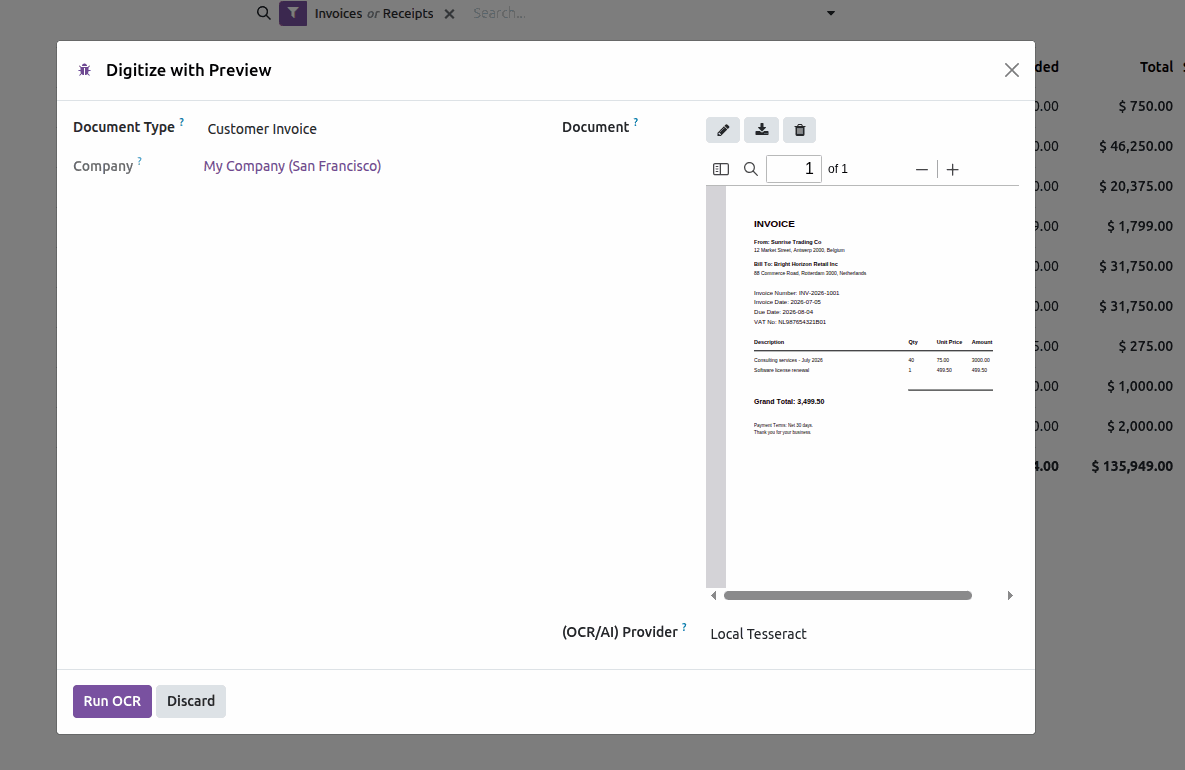
Built-In Document PreviewPreview uploaded invoices or bills inside the wizard so users know exactly which file is being processed. |
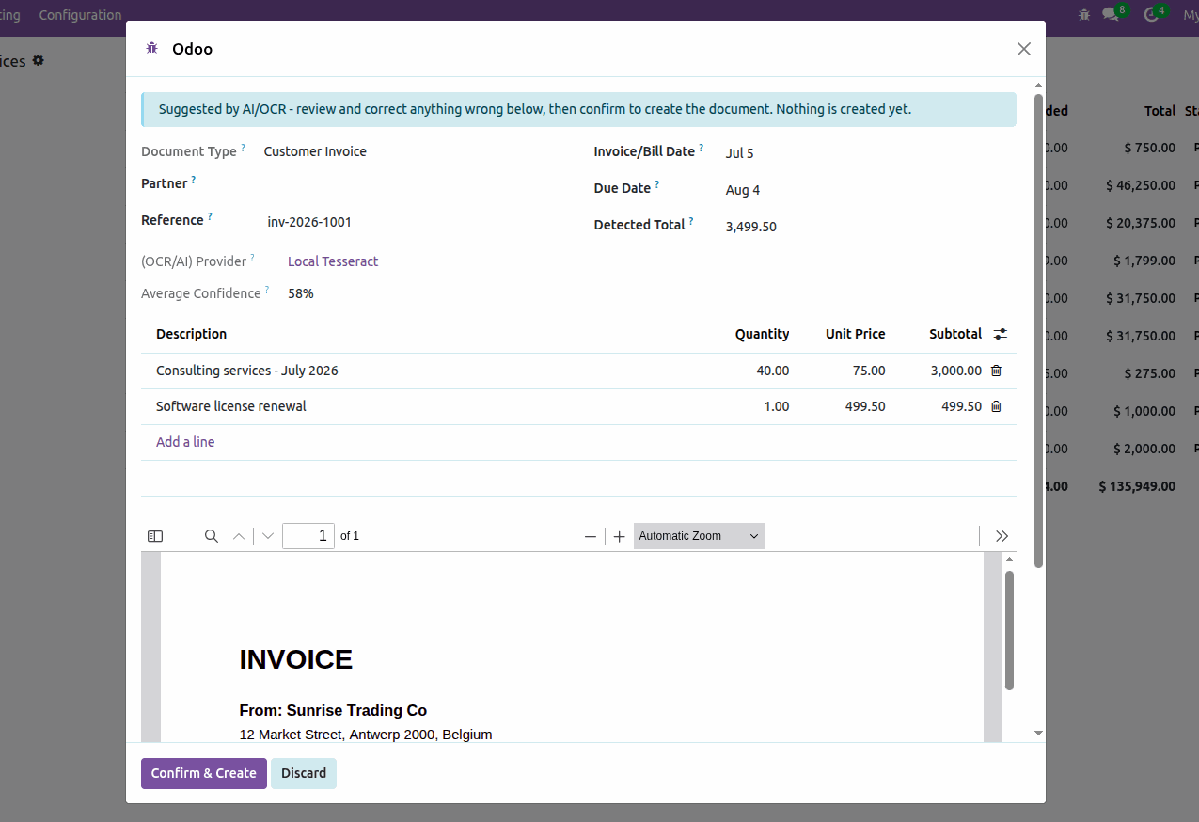
Review OCR/AI SuggestionsCheck suggested fields, confidence score, and extracted lines before confirming document creation. |
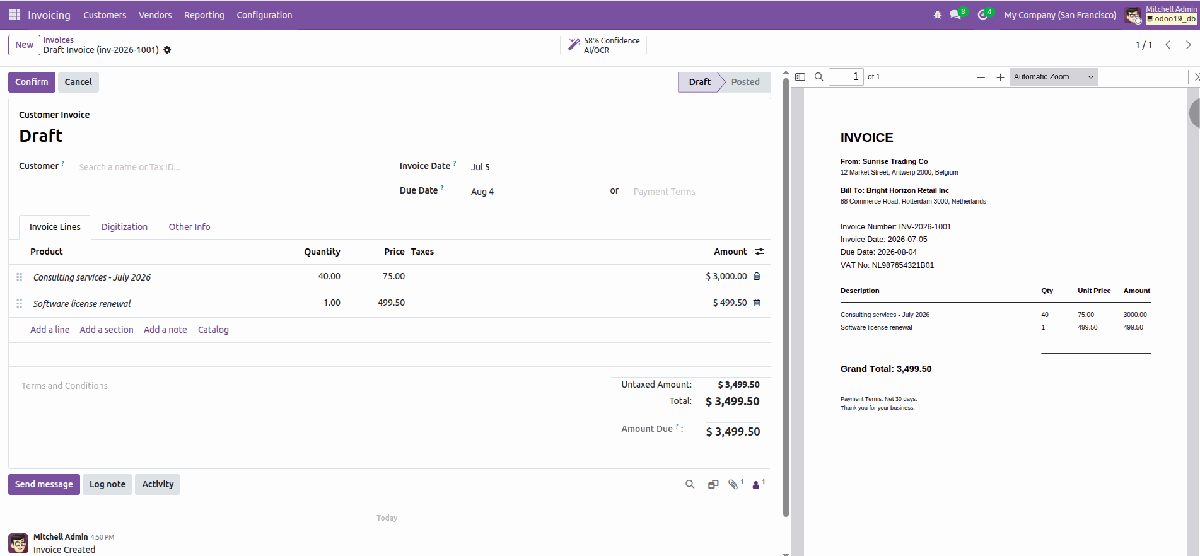
Draft Invoice Created with Source Preview
After confirmation, the draft accounting document is created with extracted invoice lines and a document preview, so accountants can review and validate with confidence.
Why This Module Helps
|
Technical Notes
|
Digitize Accounting Documents Faster
AI/OCR Invoice & Bill Digitization helps accounting teams convert PDF/image documents into draft invoices and vendor bills with a practical, review-first workflow.
Developer & Support
- Name: Abdullah Al Arafat
- Email: imbipul9@gmail.com
- Mobile/Whatsapp: +8801712192445